Lightfield Nailed the Checkout (But Asked for My Inbox Last)
7 min read · about Lightfield ·

Lightfield Nailed the Checkout (But Asked for My Inbox Last)
The homepage and the $0 checkout are clear. The one gap: the real setup moment, my inbox, comes after the card with a skip link, so the aha never comes.
1 / 27

Written by
Eddy Bogomolov
Product designer for free trials
Published
What you'll learn
- How setup, aha and habit moments show where a trial wins or loses the buyer
- Why ten fields of profile and company questions aren’t setup, and the inbox is
- Why the inbox belongs right after sign-in, before the questions and the card
Lightfield’s homepage makes one promise: a CRM that “updates itself from every customer interaction”. Four minutes after I clicked “Try for free”, mine had nothing in it.
Lightfield Nailed the Checkout (But Asked for My Inbox Last), chapter by chapter
Lightfield's homepage makes one promise: a CRM that "updates itself from every customer interaction". Four minutes after I clicked "Try for free", mine had nothing in it.
In this story I run a one-person design business. My CRM is my Gmail inbox and a spreadsheet. I want a CRM that keeps itself up to date, because I won't.
So I recorded my screen from the homepage to the first screen of the product, and mapped it onto the three moments every trial needs: a setup moment, an aha moment and a habit moment. Lightfield asked for the wrong setup first.
What I found:
- One clear promise on the homepage gets the click.
- Ten fields of profile and company questions feel like setup. None of them is.
- The $0 checkout is clean. The real setup moment, my inbox, comes after it with a skip link. I took the skip, and the CRM opened empty.
Let's get into it.
1. The promise: a CRM that fills itself
Meet me. I run a one-person design business. My CRM is my Gmail inbox and a spreadsheet I update when I feel guilty. I want one that keeps itself up to date, because I won't.
Lightfield's homepage says exactly that:
"CRM engineered for the future. Lightfield updates itself from every customer interaction."
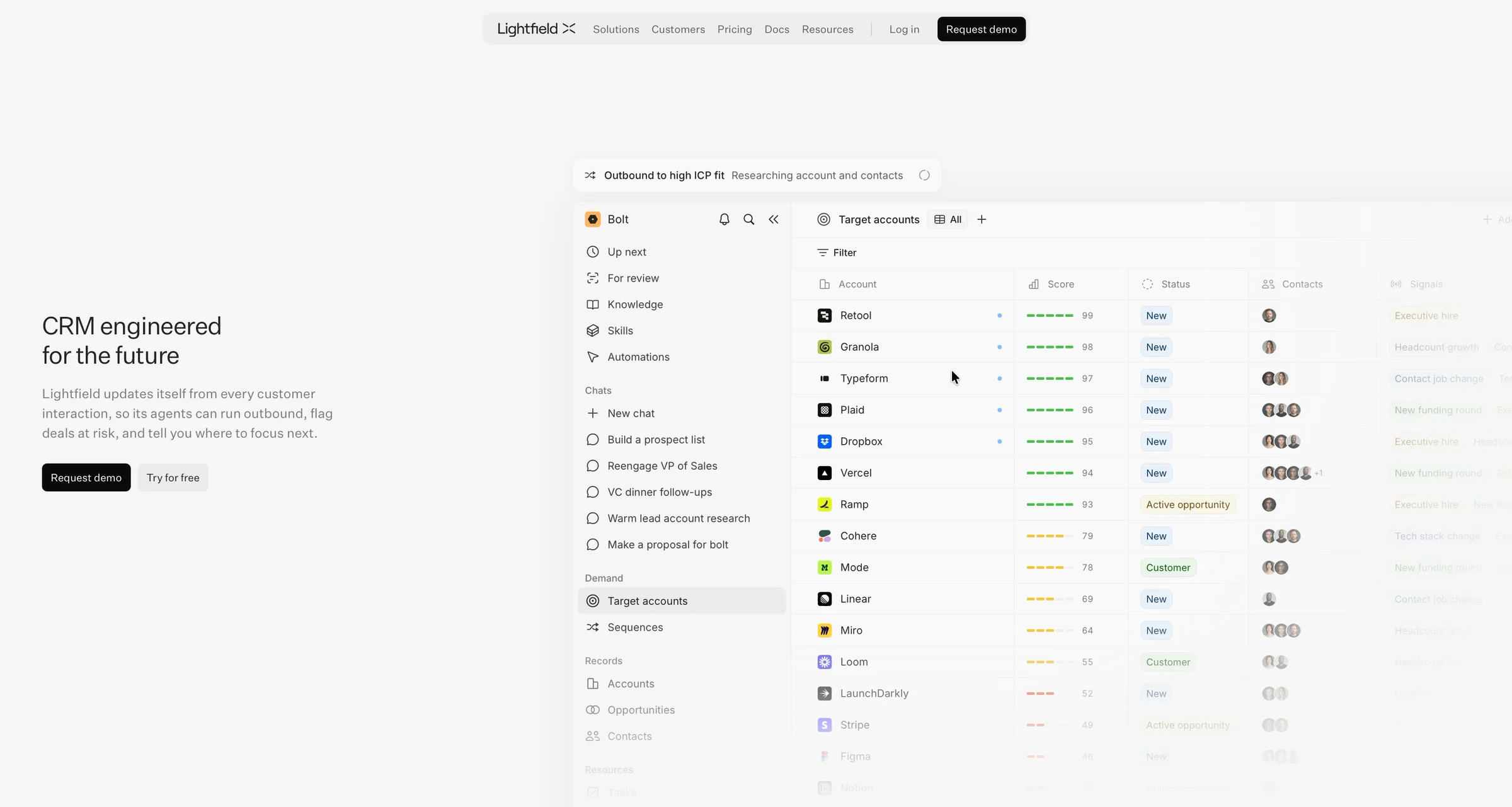
That's the one I want. I click "Try for free".
Who's making the promise: Lightfield is the second company from Tome's founders, Keith Peiris and Henri Liriani. Tome, the AI slides app, had 20 million users when they turned it into a CRM (VentureBeat). Lightfield launched in November 2025. In September 2026 it raised a $47M Series A led by Andreessen Horowitz, with "over 5,000 companies" signed up (Lightfield). So this isn't a weekend project. It's a well-funded team that knows self-serve.
2. Sign-in: one click, then Google's minute
"Continue with Google." One click, and Lightfield gets my name, my email and my photo.
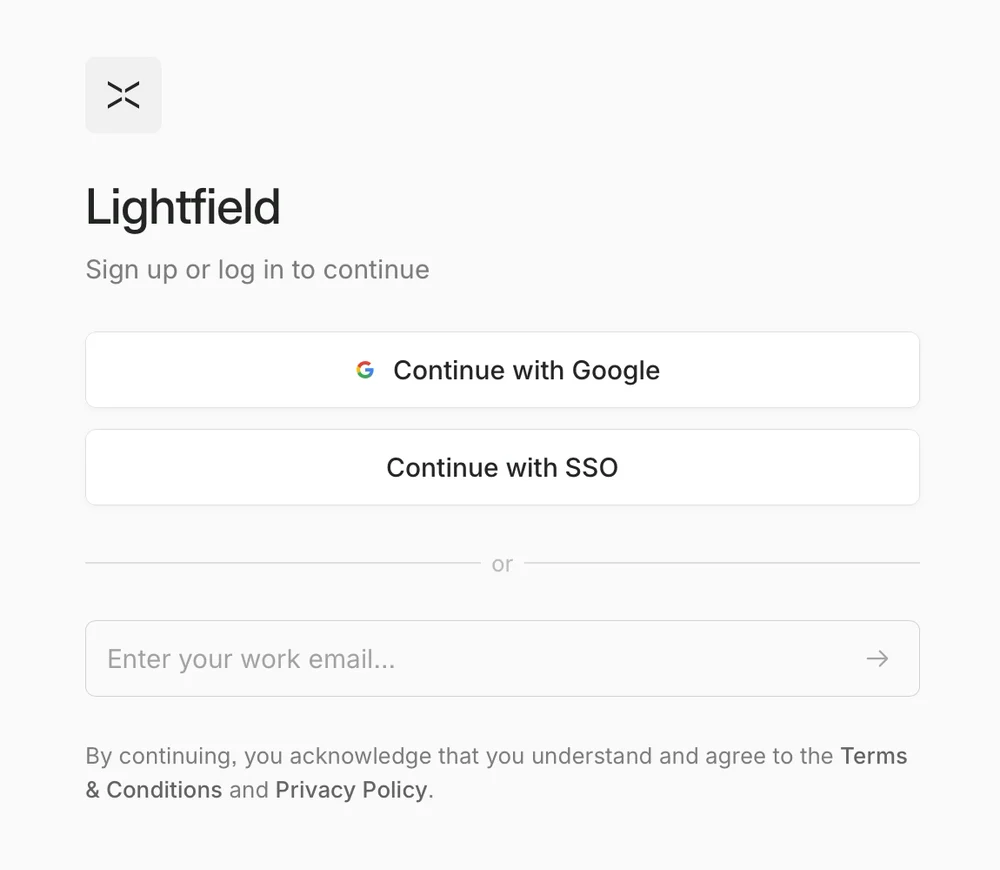
Google's own screen says exactly what Lightfield gets:
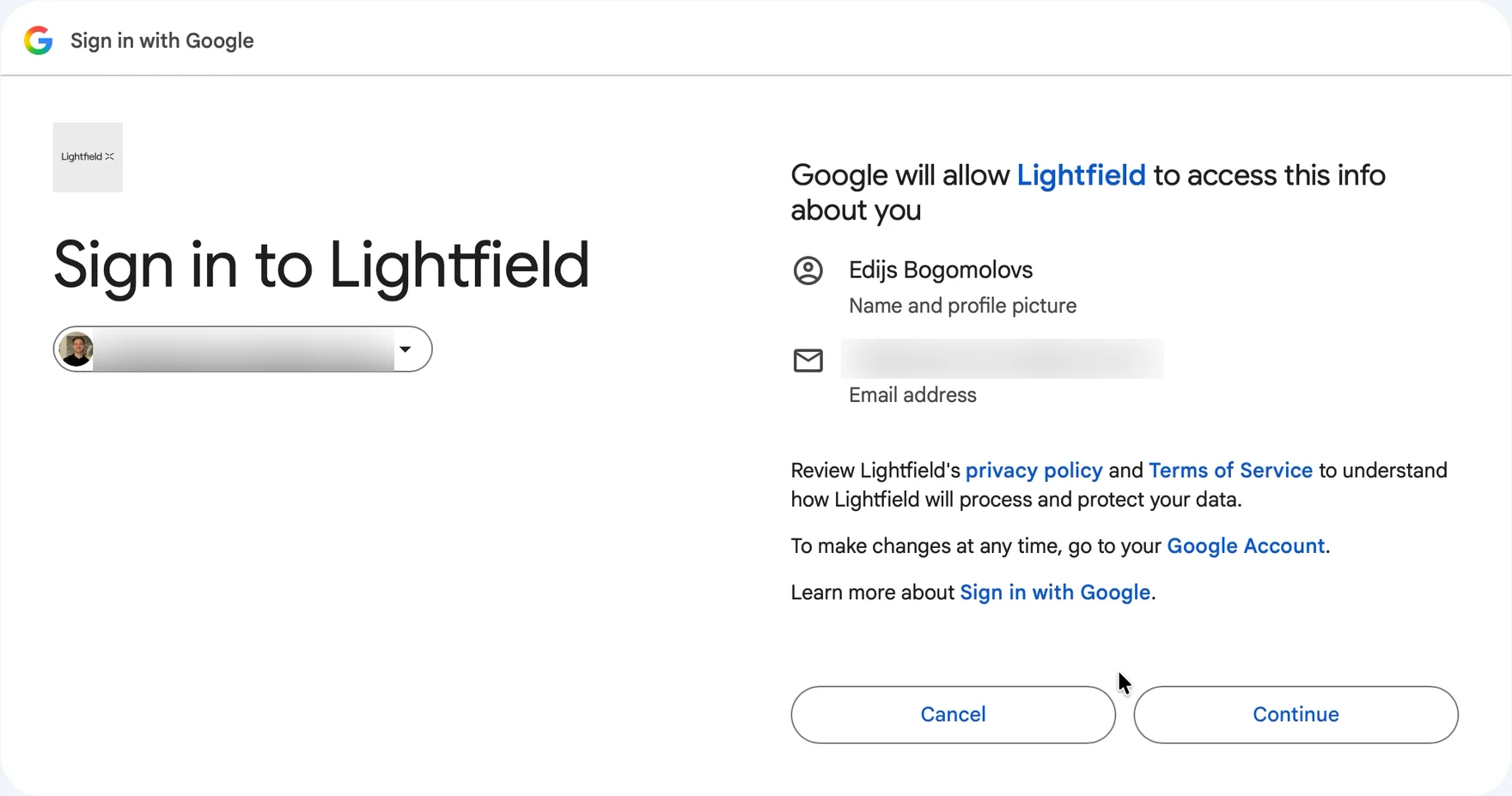
Name, photo, email. Keep that screen in mind too.
3. The setup that isn't
"Create your profile." First name, last name.
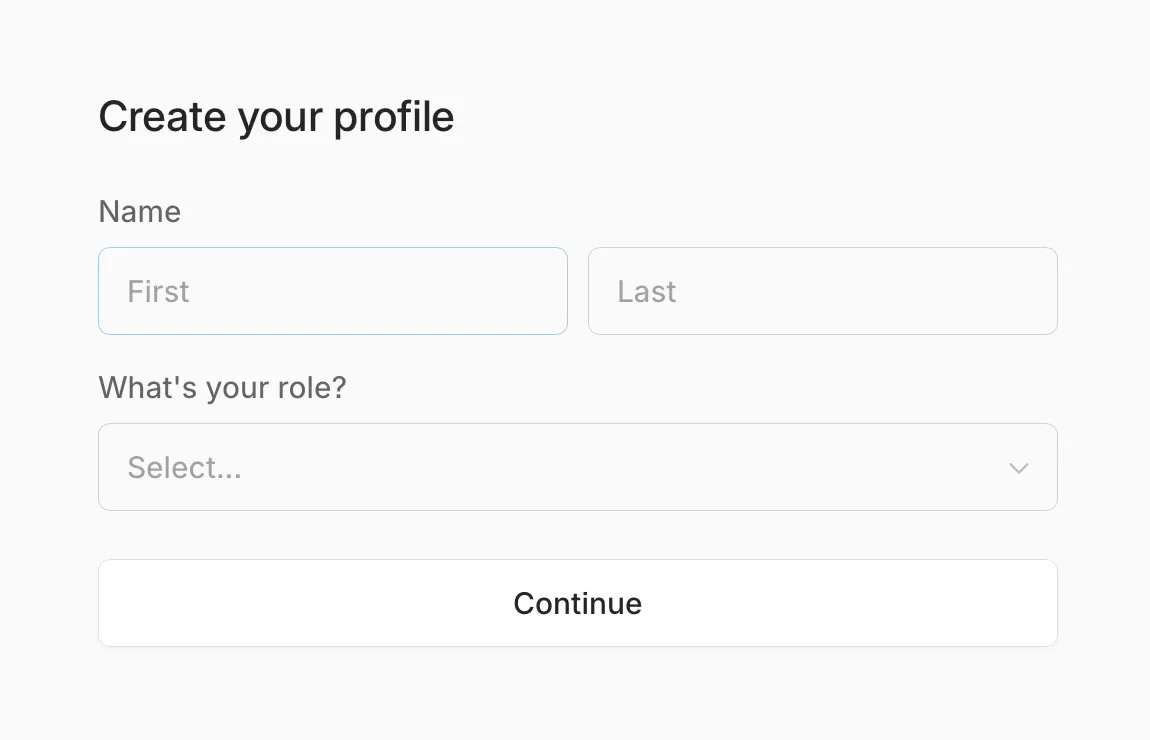
Google handed Lightfield both thirty seconds ago. It's right there on the consent screen: "Edijs Bogomolovs. Name and profile picture."
Then a workspace name, and six questions about my company: website, country, team size, how I heard about Lightfield, my current CRM, my other tools.
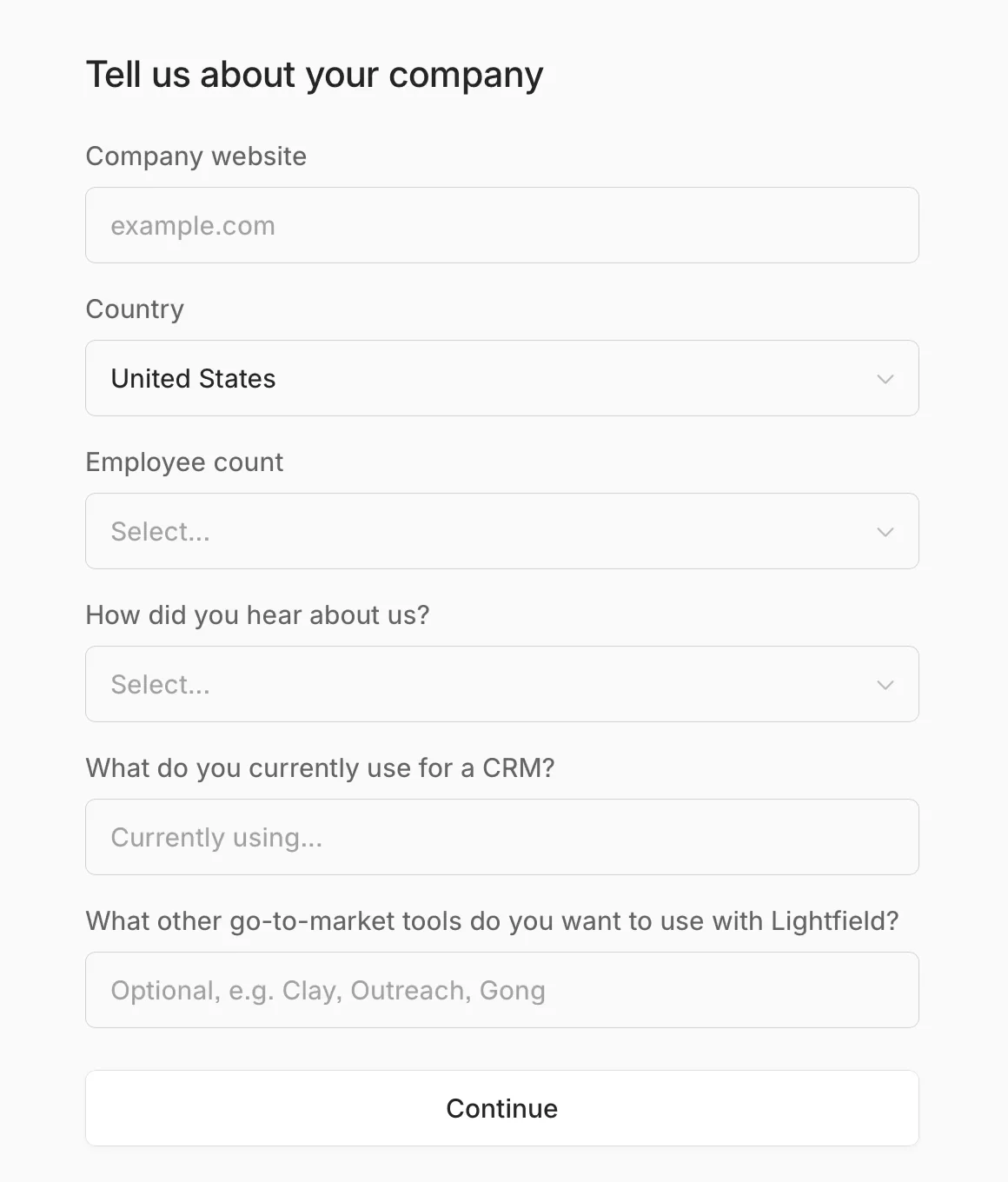
The country is already filled in: United States. I'm in Latvia. Two screens later, the billing form says United States again.

4. Checkout: $0 today, and a date
"Checkout. Try Lightfield free for 14 days. You won't be charged until then." One plan, $0 today, $89 on Nov 18, Apple Pay right there.
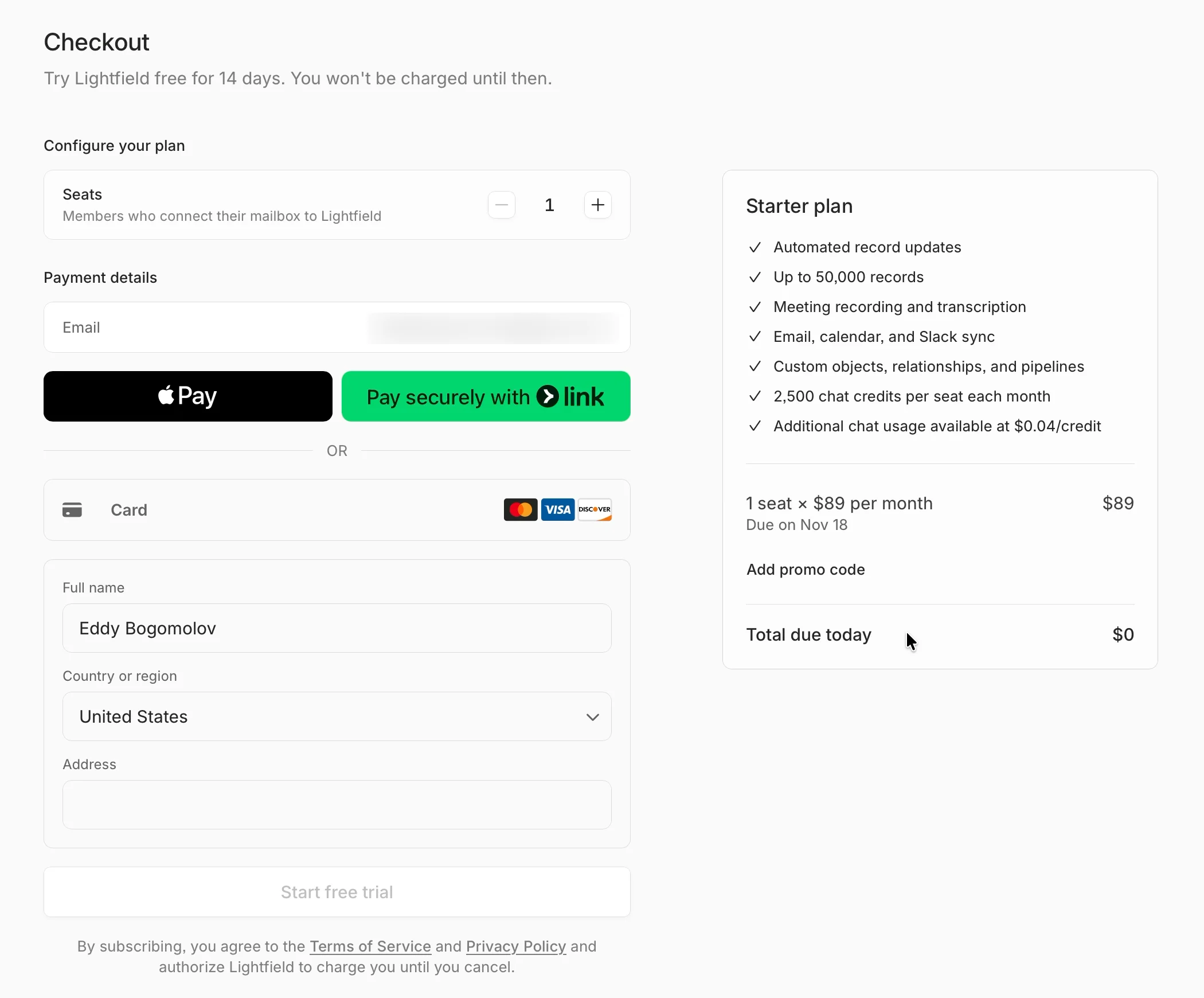
Then I read the first line. A seat is one of the "Members who connect their mailbox to Lightfield".

Wait. My mailbox isn't connected. Nobody has asked for it yet. I'm starting a trial on a seat defined by a step I haven't seen.
Fine. I pay by card: number, expiry, security code. Then name, country, street, city, postcode.
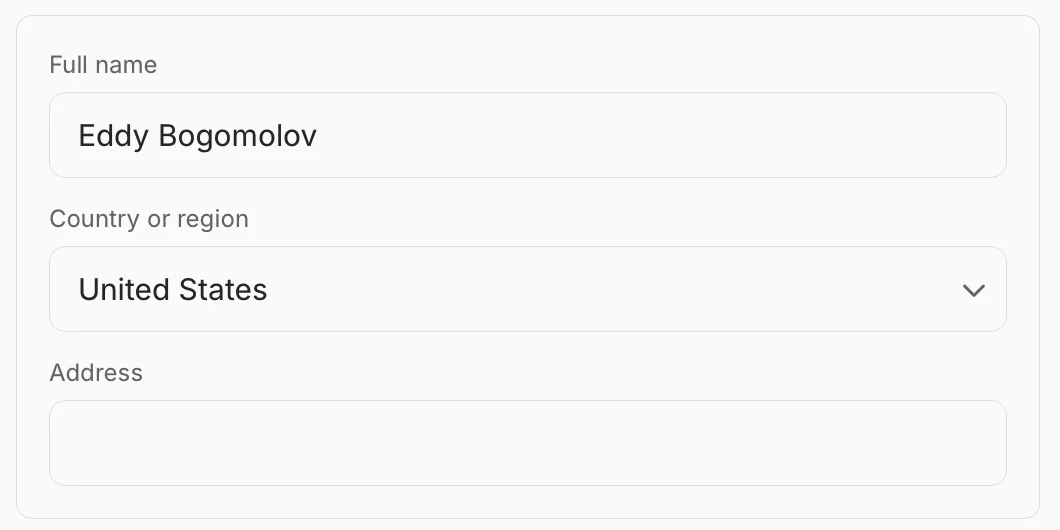
The country says United States again. 81 seconds on this screen. Then "Processing", and 8 seconds of a blank page with a spinner.

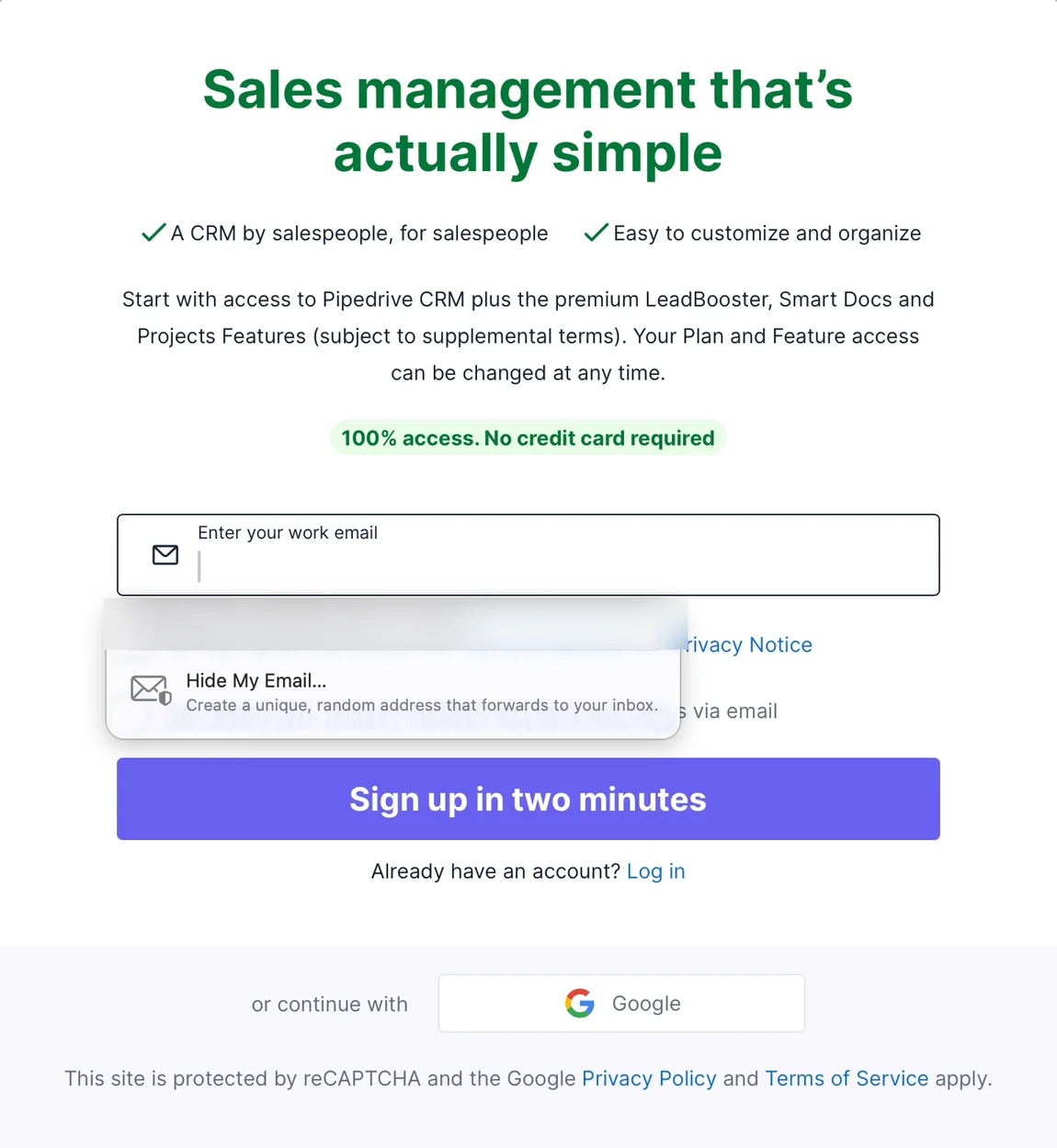
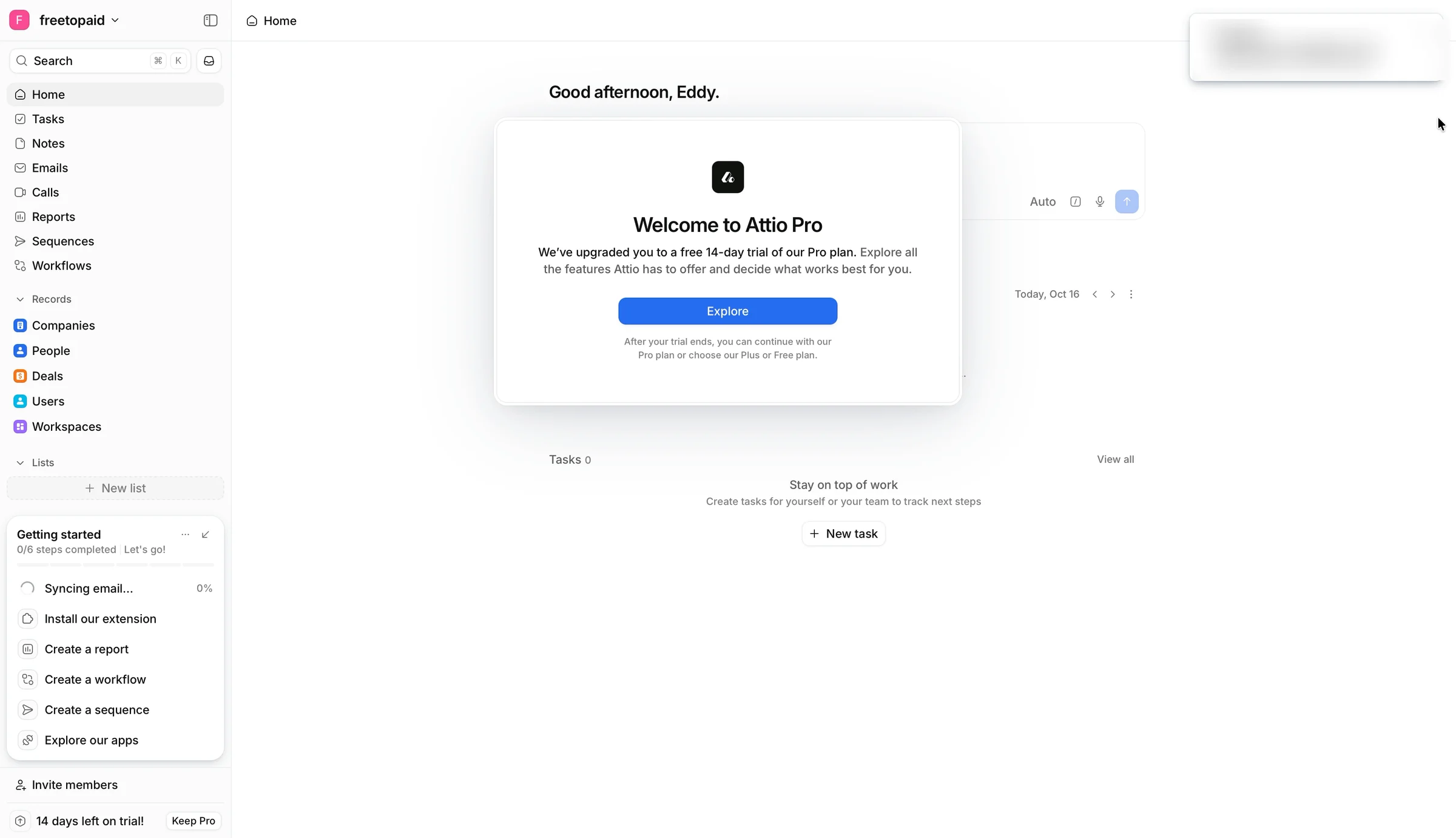
My other two CRM trials never asked for a card. Pipedrive: "No credit card required". Attio: a 14-day Pro trial, no card. Lightfield wants one before I've seen a single client in it.
Why a card at all? Keith Peiris, Lightfield's CEO, on Product Hunt: "We ask for credit card up front at sign-up to keep bot traffic out" (Product Hunt). Fair. It also makes Lightfield the odd one out. I checked seven more CRM pricing pages: Attio, Folk, Twenty, Close, Pipedrive, HubSpot and Salesforce Starter. None asks for a card to start.
5. After the card: the real setup, with a skip link
"Book a guided setup. Schedule time with our team to get Lightfield configured quickly." Today, Wednesday Nov 4: "No available times".
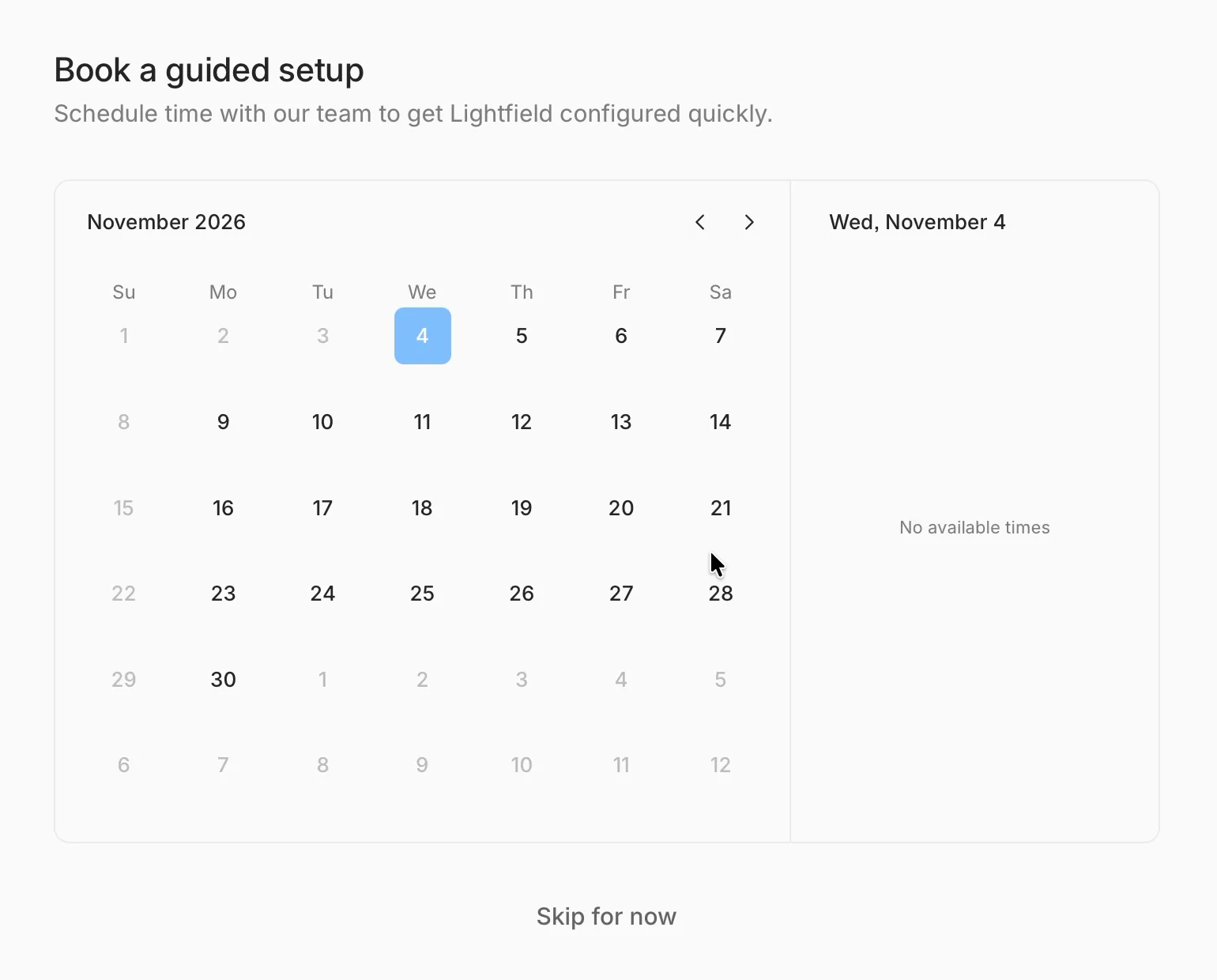
So the setup Lightfield offers first is a call I can't book today. "Skip for now."

Next screen: "Mail and Calendar sync." Here it is, finally. The inbox the homepage promised to learn from. Five settings, then "Continue with Google". Backsync range: one month, picked for me.
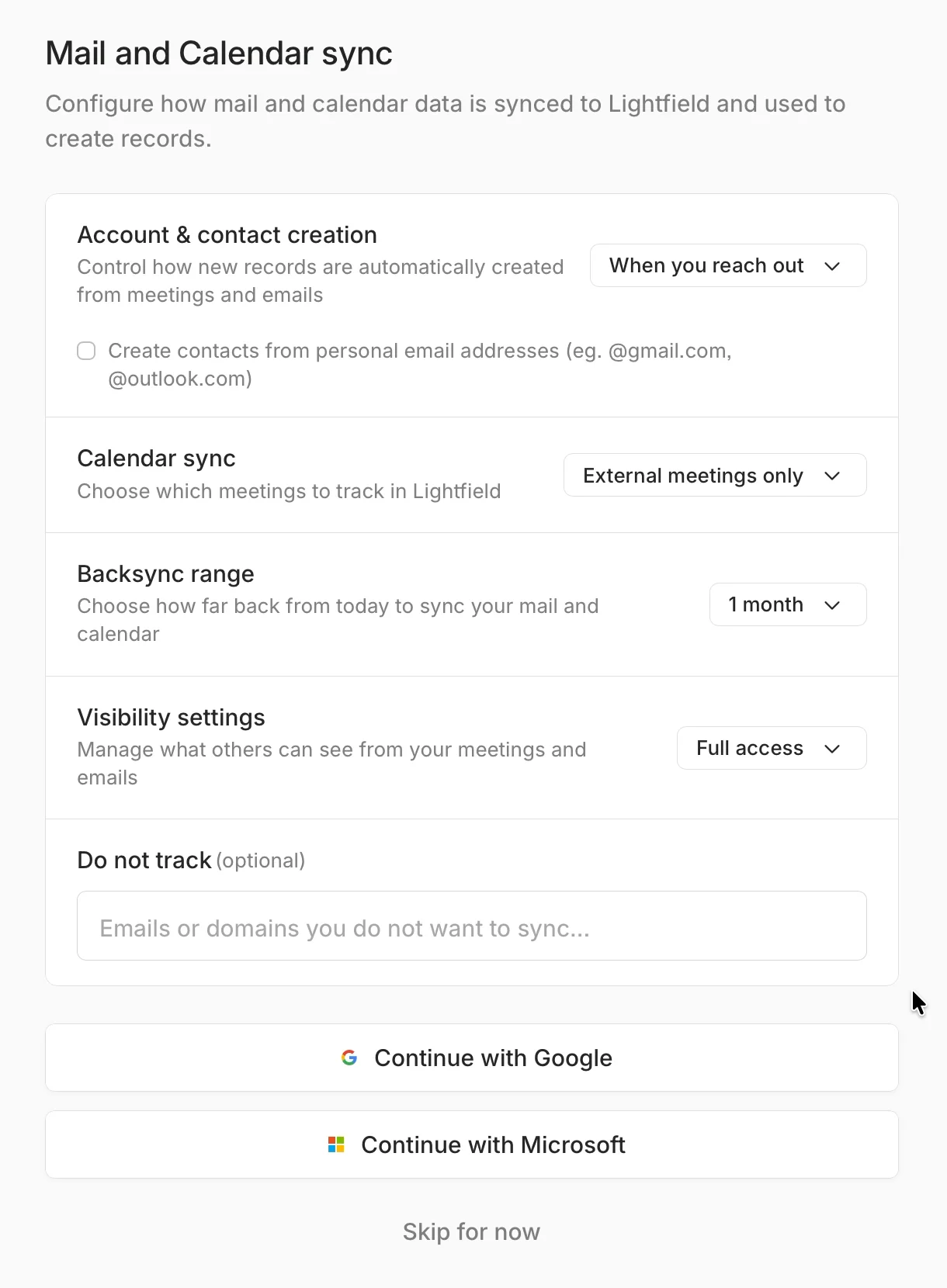
Google, again? I signed in with Google three minutes ago. And right under the button: "Skip for now". I take it.

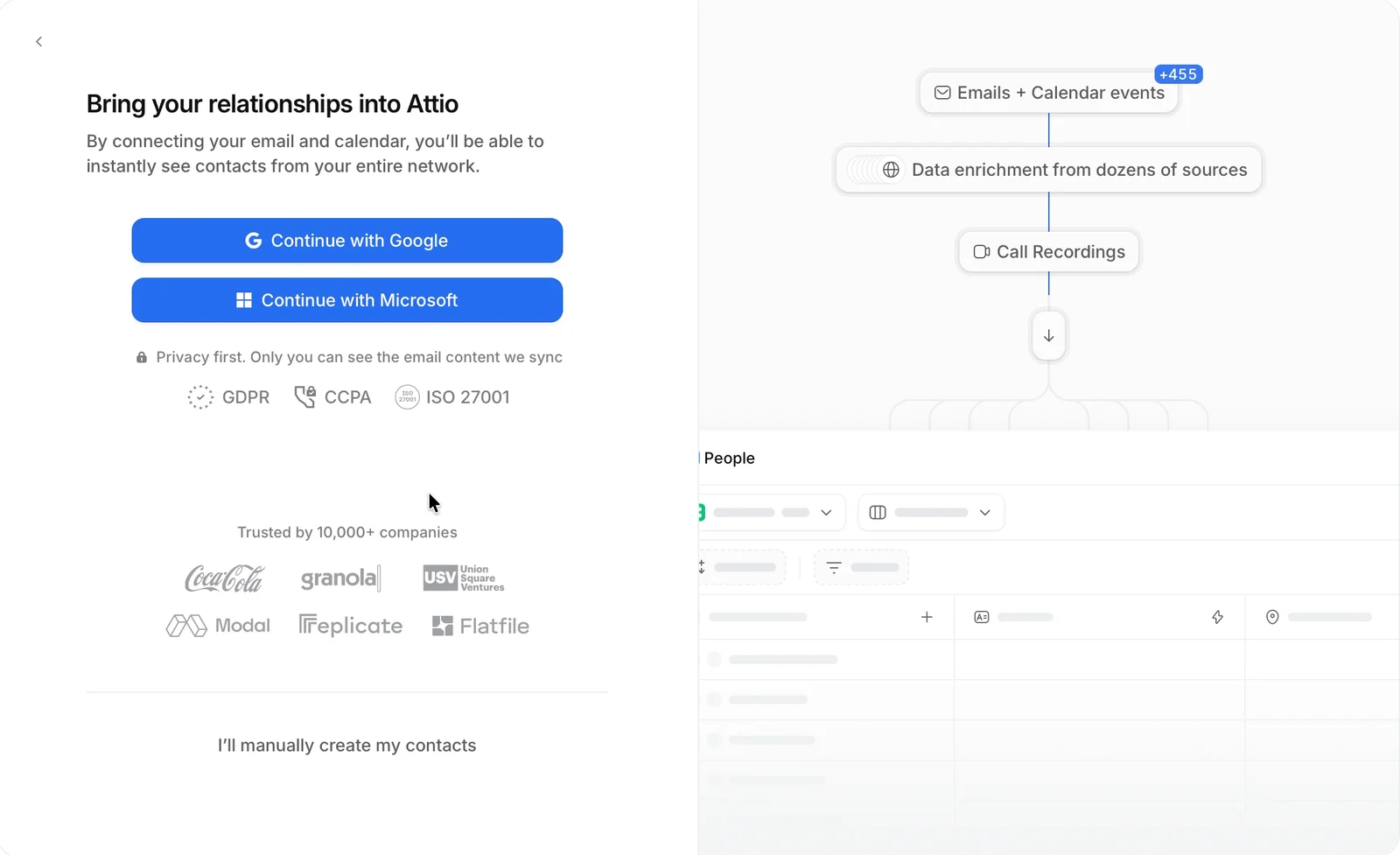
Attio asked for the same inbox, but in the middle of setup, before any card: "Bring your relationships into Attio." Lightfield asks for it last, with "Skip for now" right under it.
Twenty, an open-source CRM, goes further. Its onboarding code asks for the inbox before the profile, and for a plan last: "Connect your email and calendar to see your entire network instantly. Takes only 30 seconds." It has a skip too, but skipping opens a dialog that makes the case once more: "Start with your whole network" (Twenty on GitHub).
6. All set, and empty
"You're all set." A Slack channel with the team, four help articles and a big blue button: "Continue to Lightfield".
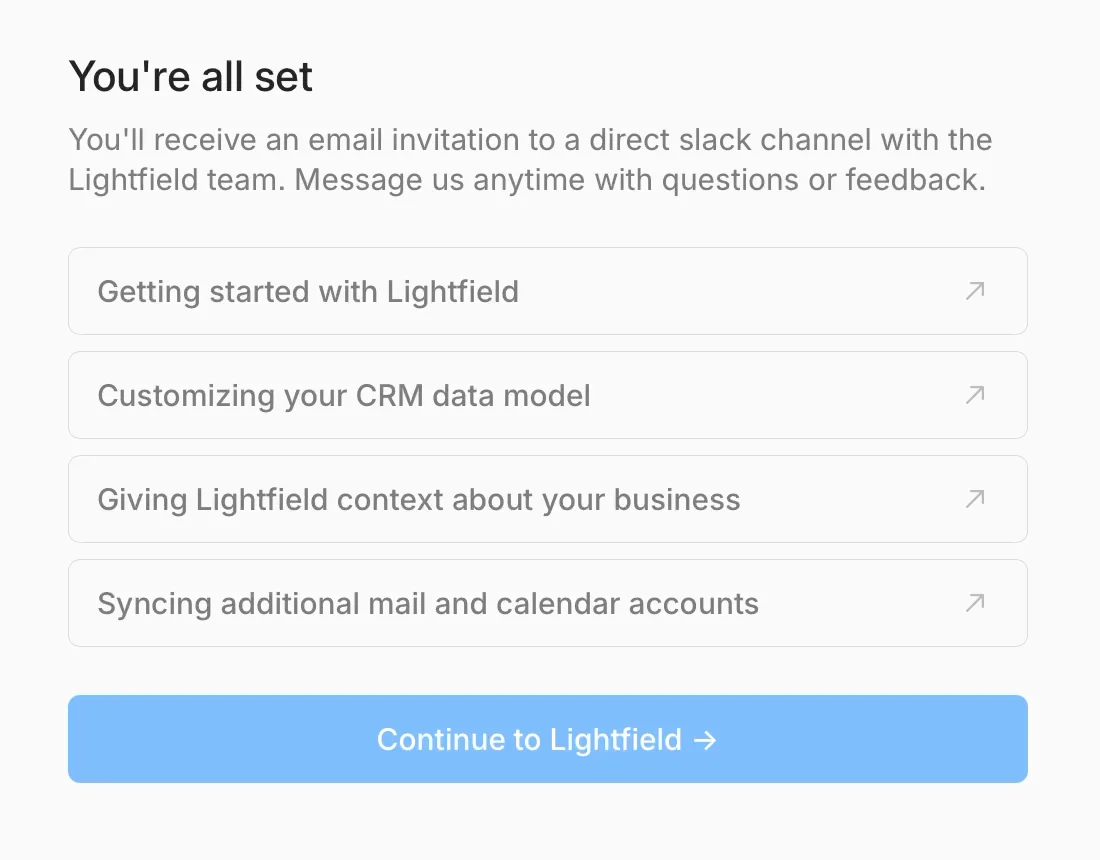
The fourth article: "Syncing additional mail and calendar accounts". Additional. I haven't synced the first one.
Help articles don't fill a CRM. After the card, Lightfield told me what to do with four help articles, and offered to show me on a call it had no times for. Pipedrive did the same: its "Switch with confidence" task opened a help article. Attio didn't explain anything. It took my inbox during setup and filled 98 companies while I watched. The one "do" at Lightfield, connecting my inbox, was the step with the skip link.
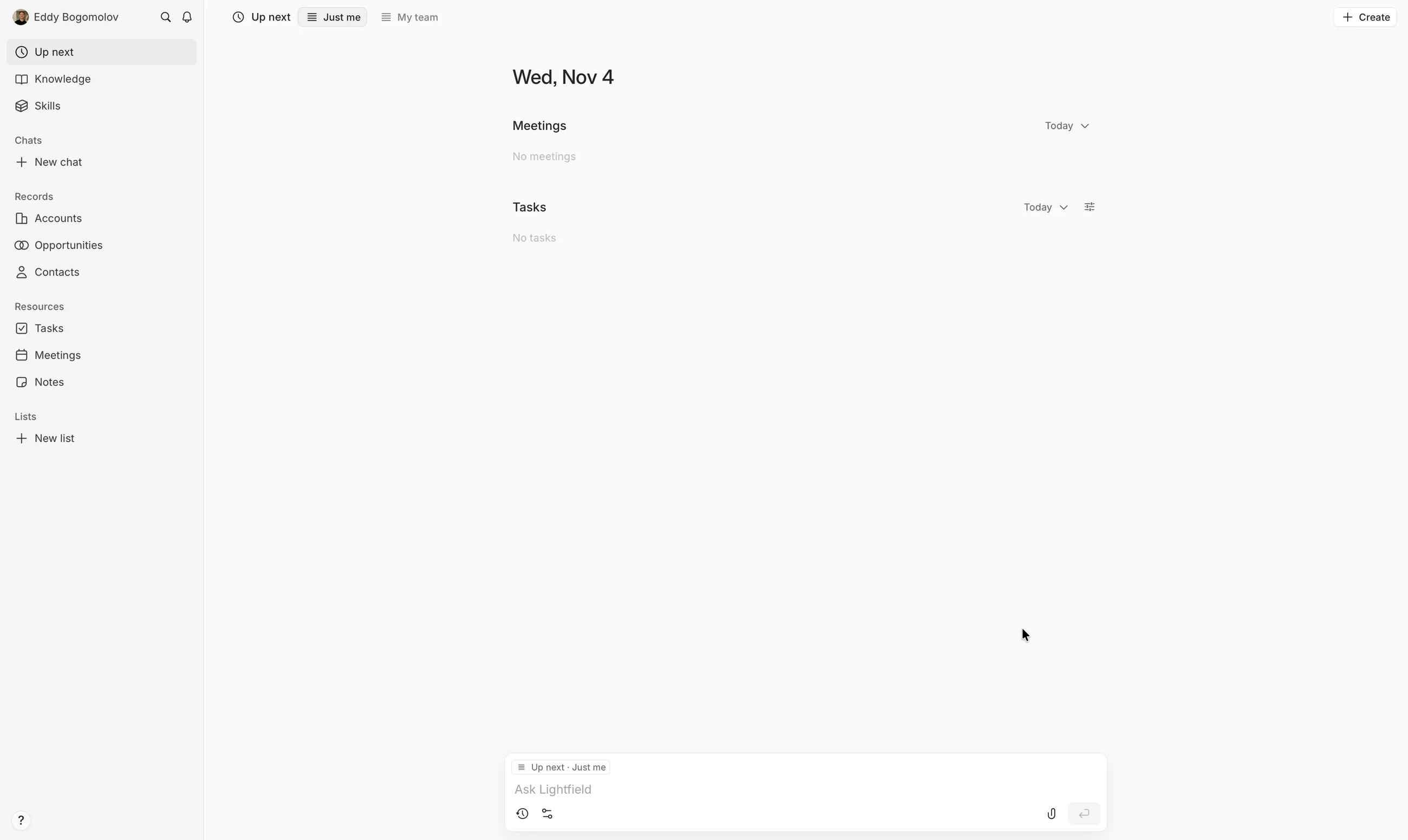
I click "Continue to Lightfield". "Wed, Nov 4. Meetings: No meetings. Tasks: No tasks."
Opportunities: "No opportunities".
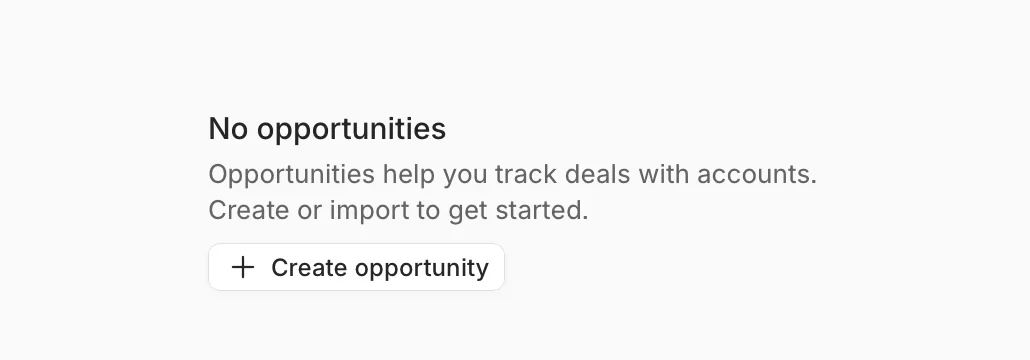
Four minutes after "Try for free", the CRM that updates itself has nothing to update from.
To be fair, my inbox wouldn't have filled Opportunities either. Lightfield's docs: "a new workspace has accounts and contacts but an empty Opportunities board" (Lightfield docs). It would have filled Accounts and Contacts. That's the aha I'd put on the first screen.
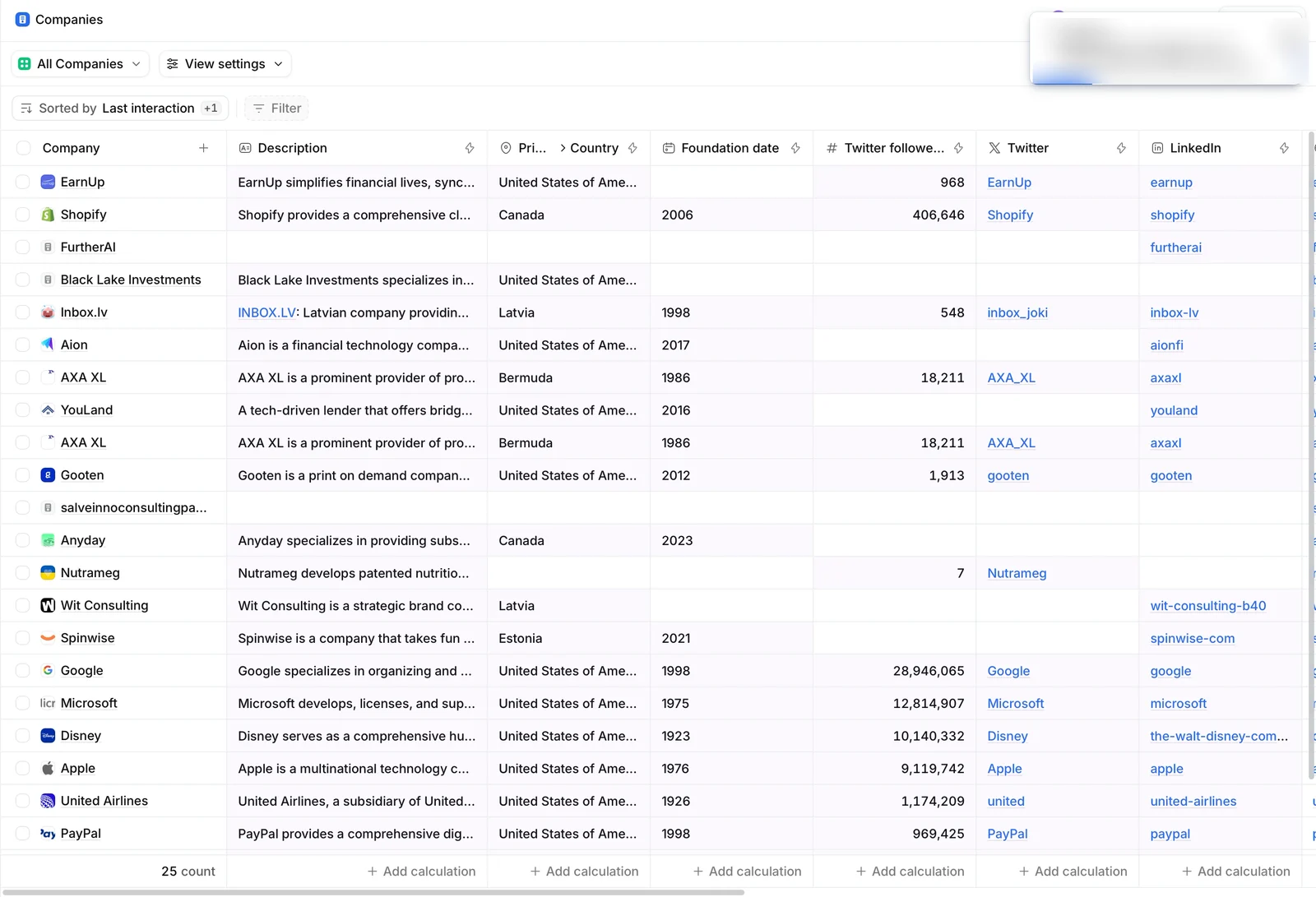
Day one in my three CRM trials. Pipedrive: six empty columns. Lightfield: no meetings, no tasks. Attio: 98 companies, filled from my inbox while I watched. Only Attio asked for my inbox during setup.
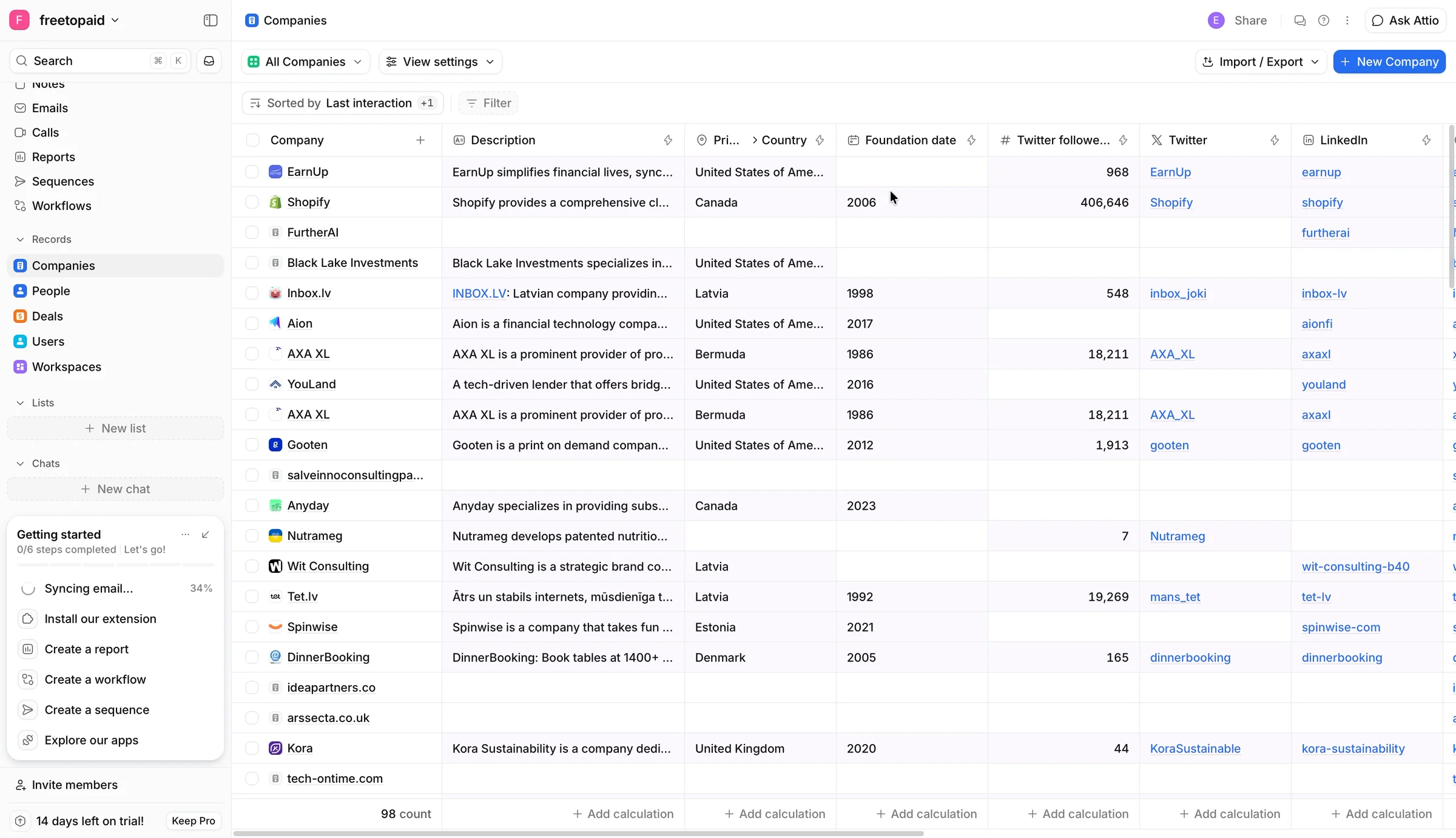
Two CRMs out of three, and nothing in them. Lightfield is one of the two.

7. How I'd redesign the first screen
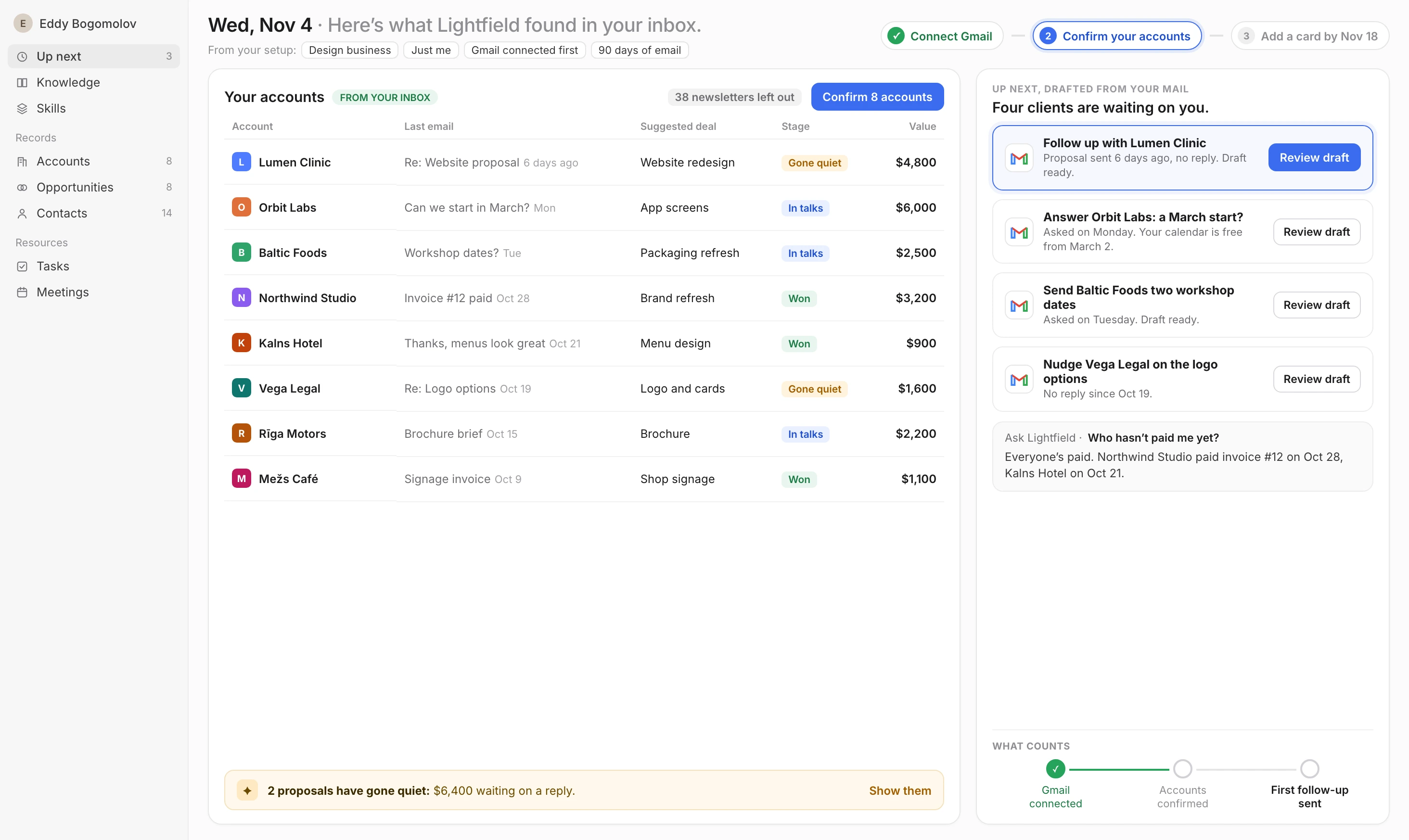
Two columns: the accounts it found in my inbox, and the follow-ups it already drafted. The header carries what Lightfield already knows and a three-step plan, with the card last.
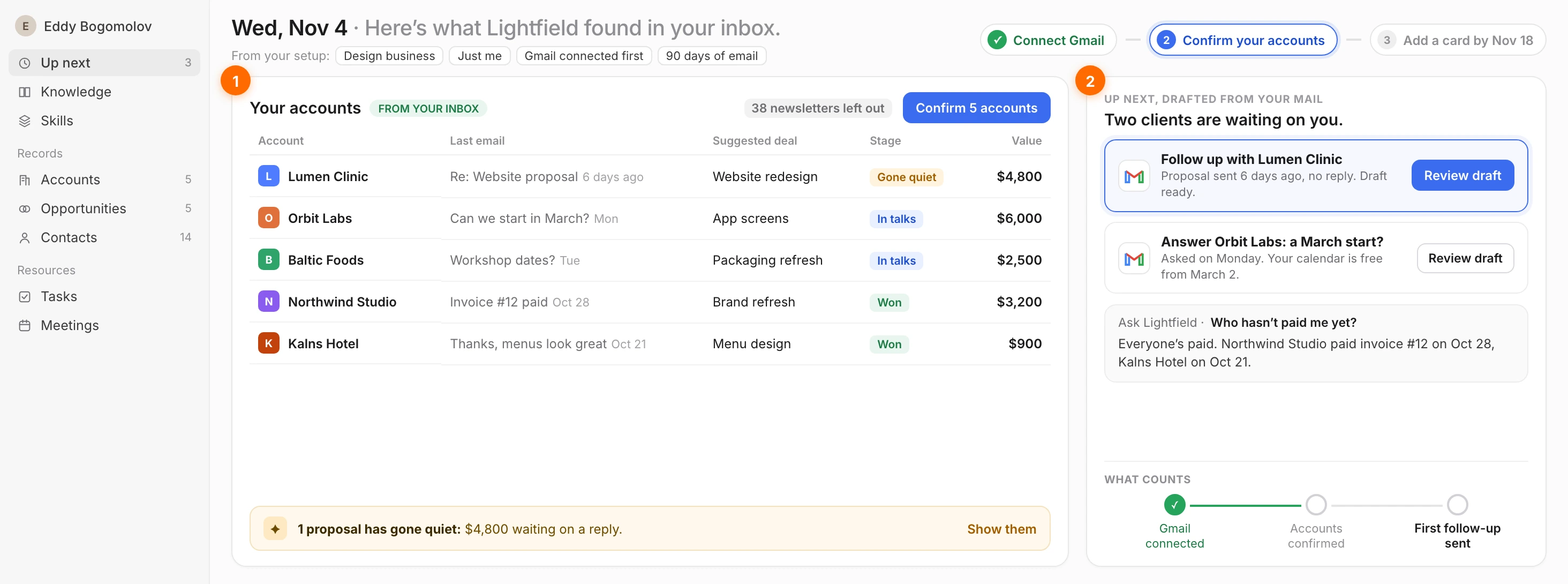
Part by part, and why:
The header: Gmail first, the card last. Gmail is the first step after the Google sign-in, so the plan starts there: connect Gmail (done), confirm your accounts, add a card by Nov 18.


Why: I'm already signed in with Google, so Gmail is one more click. Asked after the card, with a skip link, it's how I ended up with an empty CRM. Setup first, card last. And 90 days of mail, not the one-month default: Lightfield's own docs say "Start with three to twelve months to cover recent relationships" (Lightfield docs).
My accounts, from my inbox. The clients it found in my mail, with the newsletters already left out, the deals it suggests, and the one who went quiet marked. One button confirms them all.
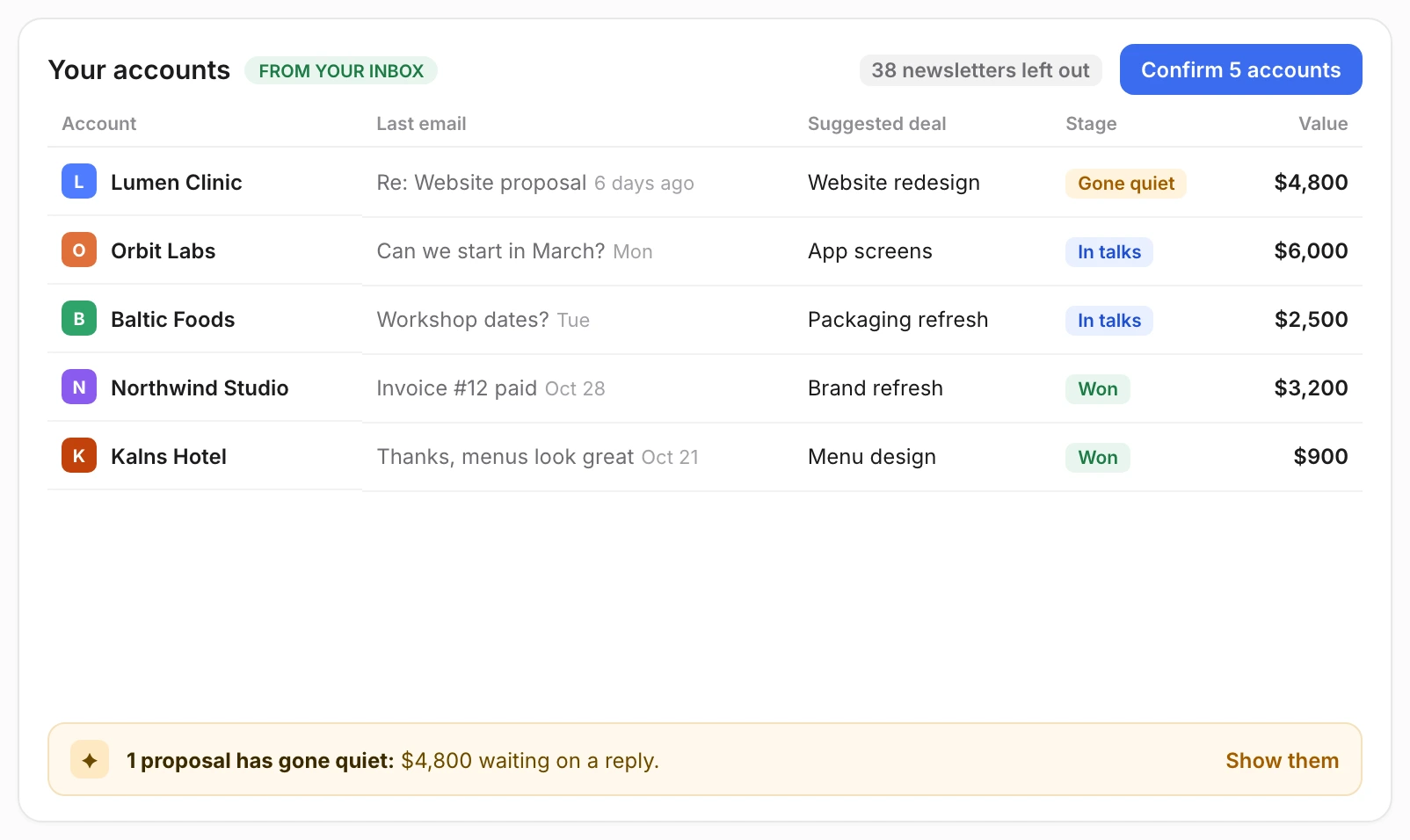
Why: the homepage promised a CRM that "updates itself". This is that promise on day one, and it's also the aha. Attio showed me the same thing. Leave out the noise Attio kept. The deals are suggestions, because Lightfield "never creates opportunities on its own from email or meetings" (Lightfield docs). Confirm is me saying yes.
Up next, drafted from my mail. "Up next" isn't "No tasks". It's the follow-ups the agents already drafted, one click to review, and "Ask Lightfield" answering from my own mail.
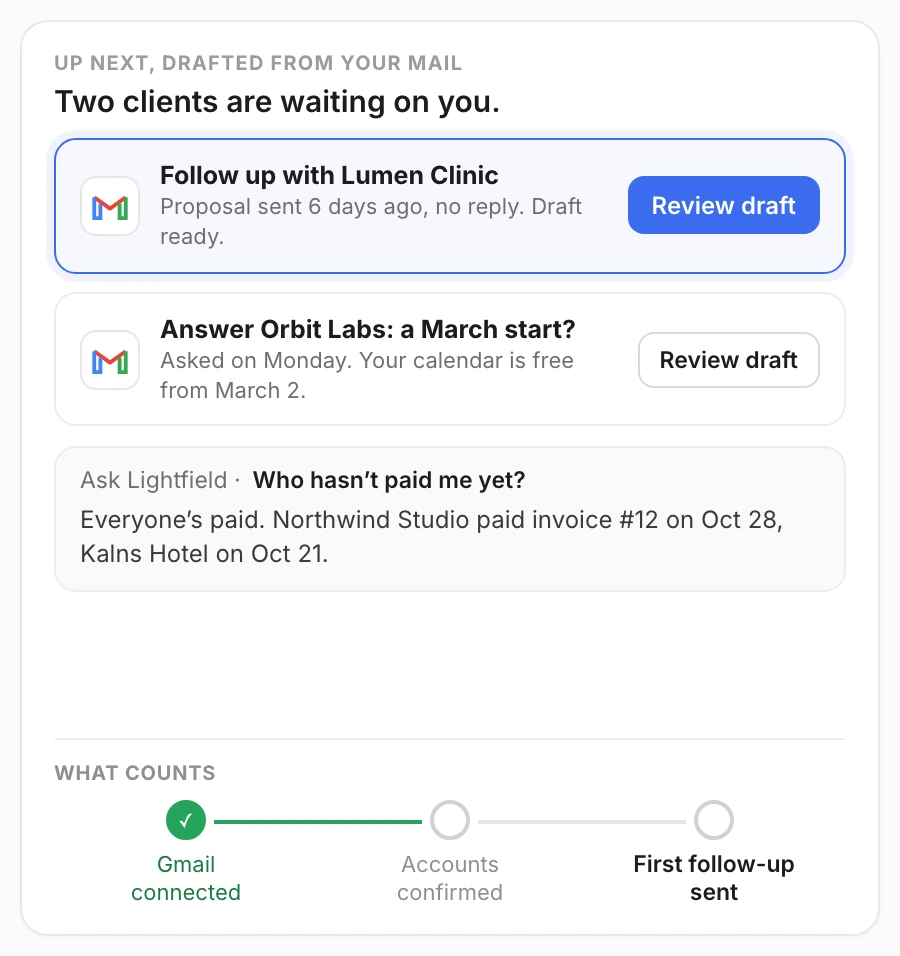
Why: today, "Up next" said "No tasks" and "No meetings". The first thing I do should be real work on a real client, and the AI should have done most of it.
Today, the same moment shows "No meetings" and "No tasks". Same trial. This time the CRM really did update itself, and I'd know the one thing to do next.

8. Three ways to put the setup moment first
Each one makes my inbox the start of the trial, not the end.
🔑 Ask right after sign-in
I'm already signed in with Google, so the next prompt is one click. Make it Gmail and Calendar, before the questions and the card, with one line on why. Twenty, an open-source CRM, asks for the inbox before the profile, and for a plan last. Skip it, and a dialog asks again: "Start with your whole network" (Twenty on GitHub). Atrium does the same with Salesforce: "They just sign in, they OAuth with Salesforce, great." Then "data light, has data been lit up?" comes before any commercial talk (Pete Kazanjy, Lenny's Podcast).
✨ Show the aha on my own mail
The first screen after sync should be work the agents already did on my inbox, not "No meetings". Roman Ugarte's first task for Grok Bot: "go through my Slack, go through my email and suggest five things that you can take off of my plate" (Lenny's Podcast).
🔁 Or drop the card
A reverse trial: the full product with no card, so the CRM fills up before the trial ends. My other two CRM trials did it: Pipedrive with "No credit card required", Attio with a 14-day Pro trial and no card. Attio is the one that filled itself.
Setup first, aha second, card last.
The setup that mattered came last
Lightfield got me to a $0 checkout with a clear promise and a charge date. Then the one setup step that mattered came after the card, with a skip link, and I took it.
The whole journey, from my recording:
- 0:00 · "Try for free" · ✅ One clear promise
- 1:15 · "Create your profile" · ❌ My name, again
- 2:15 · Checkout: $0 today · ✅ Charge date on screen
- 3:36 · "Start free trial"
- 3:53 · "Book a guided setup": no times
- 3:59 · Mail and Calendar sync · ❌ Skipped
- 4:07 · "You're all set"
- 4:13 · Empty home screen · ❌ No aha
About a minute of that is Google's own sign-in checks.
The fix: Move the setup moment. Ask for my inbox right after the Google sign-in, before the card.
Product-led means no salesperson walks you through the product. The product itself has to convince you to stay and pay. To do that, a trial has to answer four questions on its own:
- Does it do what the homepage promised? Not seen. The inbox came last, with a skip link. I took it, so nothing updated itself.
- Can I get in quickly? No. Ten fields, a card and an address before the product. Four minutes to the first screen.
- Do I see value fast? No. For this CRM, value is my clients, sorted out of my inbox, and I get no meetings, no tasks, no opportunities.
- Do I know what to do next? No. Four help articles, a setup call with no times, and an empty home.
Zero out of four: a clean checkout, and nothing in the CRM.
Wes Bush's Bowling Alley Framework scores onboarding on three parts: a straight line from sign-up to the first win, product bumpers that keep you on it inside the app, and conversational bumpers that bring you back.
- 1 · Straight-line onboarding · Profile, company, card, a booking, then the inbox with a skip link. The step that matters is last · ❌
- 2 · Product bumpers · An empty home and an "Ask Lightfield" box. Nothing nudges me back to connect my inbox · ❌
- 3 · Conversational bumpers · A Slack channel with the team, and a setup call with no times today · Partly
The lane runs through the card, and the inbox comes last.
The six lessons
- Make one promise, and make it the product · ✅
- Ten fields aren't setup · ❌
- A card up front works, if the hard step comes next · ✅
- A setup call needs a self-serve path · ❌
- Don't let them skip the setup moment · ❌
- Don't open on a blank slate · ❌
Zoom out
4:13 sounds fast. It isn't the number that matters. Pipedrive got me into the product in 96 seconds, and I still had zero deals. Attio is the only one of the three where I saw my own clients. 4:13 got me to the start line, not to value.
And buyers already expect to hand over the inbox first. Lenny, talking to Google's Josh Woodward this autumn: "every AI assistant app that's launching these days basically sucks in Gmail and Google Calendar and Docs" (Lenny's Podcast). Lightfield's agents run on my inbox. It's the one thing it asked for last.
In an AI product, the agent is the onboarding. Elena Verna says Lovable's growth team now works on the agent itself: "doing agentic workflows and codifying agent instructions in order for customers to activate better" (Lenny's Podcast). Lightfield's agents could have done my setup. They never got the inbox to do it with.
Lightfield says it "isn't self-serve", and for Pro at $999 a month, sold through "Request demo", that's fine. But the $89 Starter trial is self-serve by design. With no one to set me up, it ended where the founders said old CRMs start: "empty fields waiting to be filled".
If you run a trial for a product that runs on the customer's data: find the step that brings the data in. Put it first, and don't put a skip link under it.
What's the setup moment in your trial, and how many screens come before it? Leave a comment. I read every one.
Further reading:
- Letting Attio build my CRM for me, the CRM trial that asked for my inbox during setup
- Pipedrive Showed Me a Pipeline Full of Deals (Mine Had Zero), the CRM trial with no card and an empty pipeline
- Lessons from going freemium: a decision that broke our business, Bobby Pinero in Lenny's Newsletter
I break down real free trials and show where they lose paying users. If this helped, send it to someone who owns a trial.
Want a teardown of your trial? DM me "teardown" on LinkedIn.
Eddy
Letting Attio build my CRM for me
Attio, Nov 5, 2026