Pipedrive Showed Me a Pipeline Full of Deals (Mine Had Zero)
6 min read · about Pipedrive ·

Pipedrive Showed Me a Pipeline Full of Deals (Mine Had Zero)
A 14-day trial, no card. I timed how long it takes to see real value.
1 / 26

Written by
Eddy Bogomolov
Product designer for free trials
Published
What you'll learn
- Why a pipeline “tailored for your industry” still needs a deal in it
- How to act on the goals you ask for at sign-up
- Why “switch from your old CRM” should start an import, not open an article
Pipedrive’s homepage says “Full access. No credit card required.” I signed up, answered ten fields of questions, and got a pipeline tailored to my industry. It had nothing in it.
Pipedrive Showed Me a Pipeline Full of Deals (Mine Had Zero), chapter by chapter
Pipedrive's homepage says "Full access. No credit card required." I signed up, answered ten fields of questions, and got a pipeline tailored to my industry. It had nothing in it.
In this story I run a one-person consultancy. My deals live in my inbox and I keep losing track. I want a simple CRM, and I want to see it working today.
So I recorded my screen from the homepage to the end of the setup guide, and timed how long it took to get one real deal into Pipedrive.
What I found:
- No card and a Gmail address that gets in: the sign-up is easy.
- Ten fields and a goals screen, and none of the answers shows up in the product.
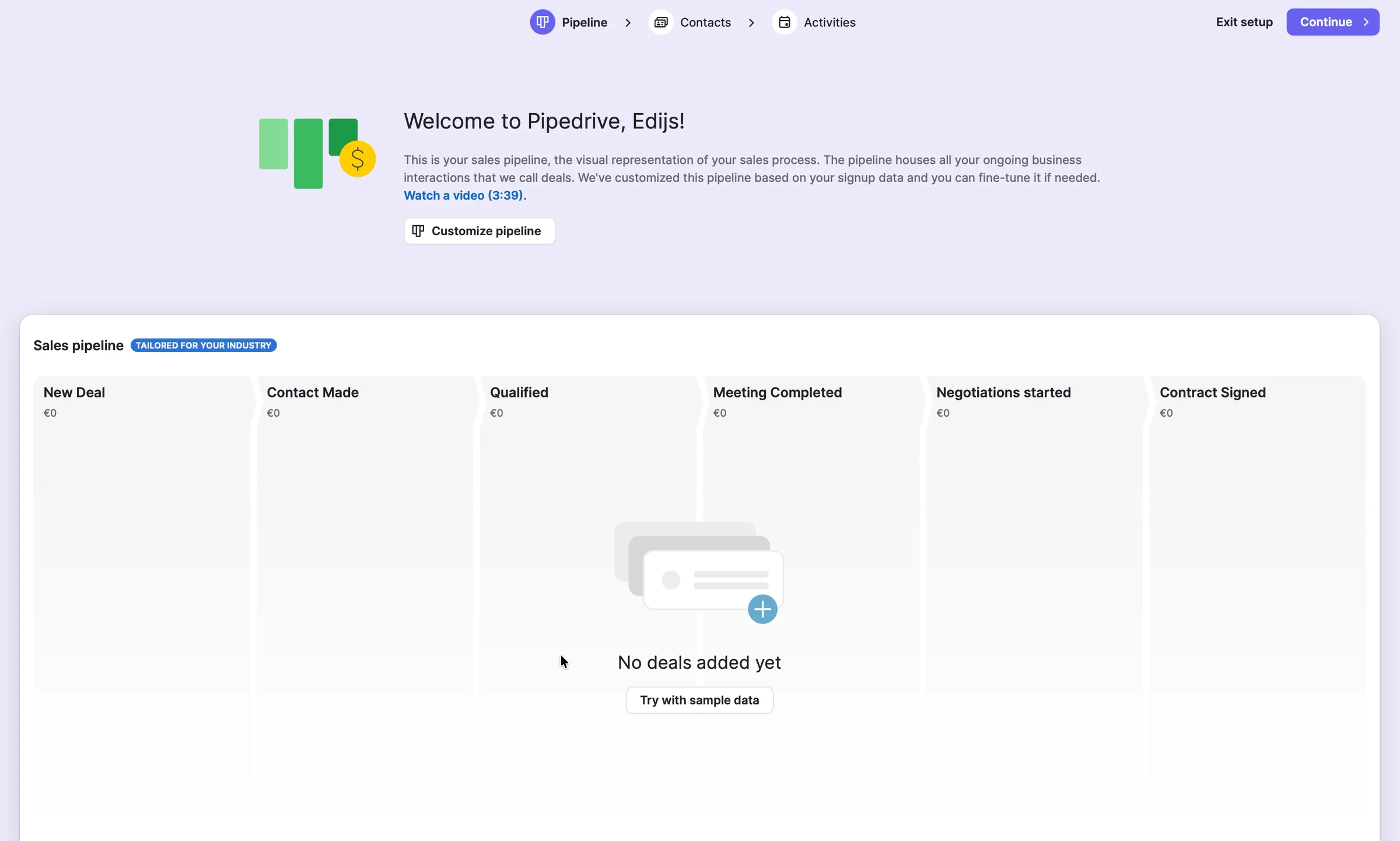
- A pipeline "Tailored for your industry" with no deals, a tour of empty screens and an 11-task to-do list. Three and a half minutes in, zero deals.
Let's get into it.
1. The promise: no card, full access
Meet me. I run a one-person consultancy. My deals live in my inbox and I keep losing track of who I owe a reply. I want a simple CRM, and I want to see it working today.
Pipedrive's homepage is built for me:
"Pipedrive is the easy, intelligent CRM loved by growing sales teams." Try it free. Full access. No credit card required.
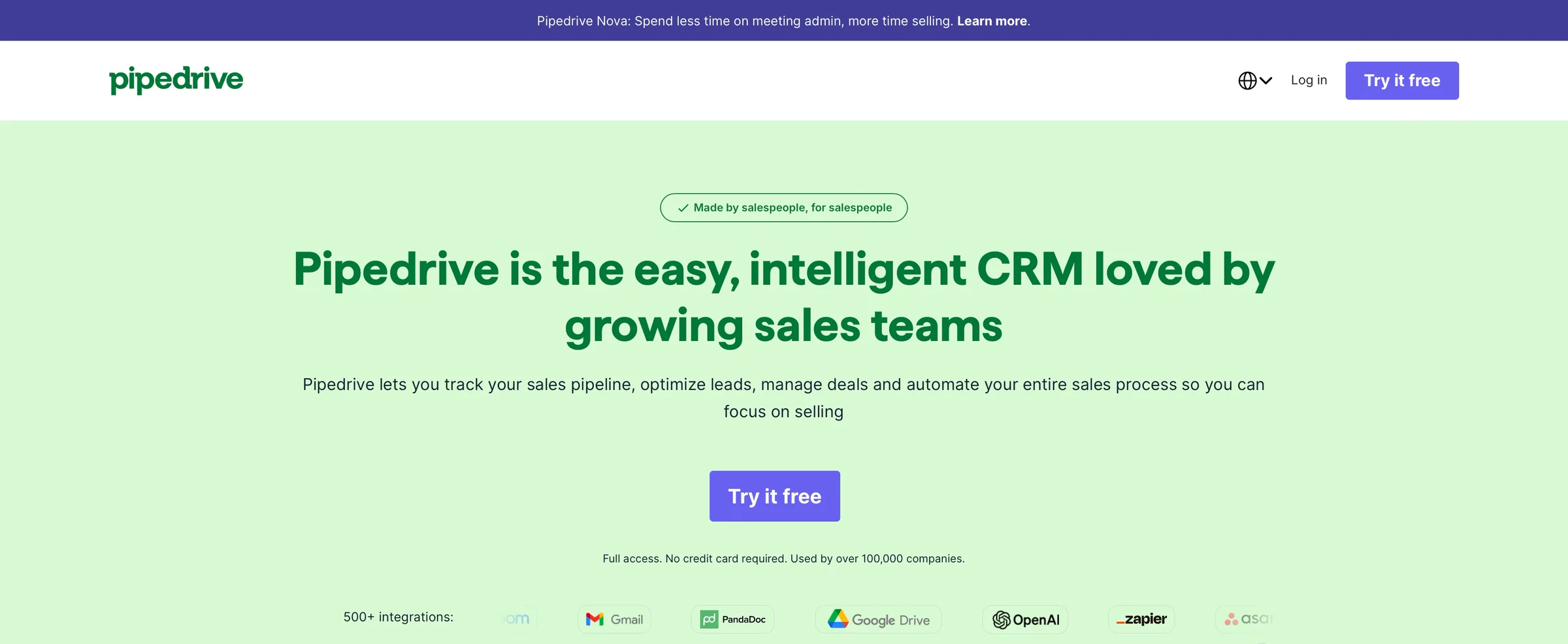
An easy, intelligent CRM, and no card. Let's see. I click "Try it free".
2. Sign-up: in fast, then a code
"Sales management that's actually simple." It asks for a work email. I type my Gmail and it still lets me in. Good.
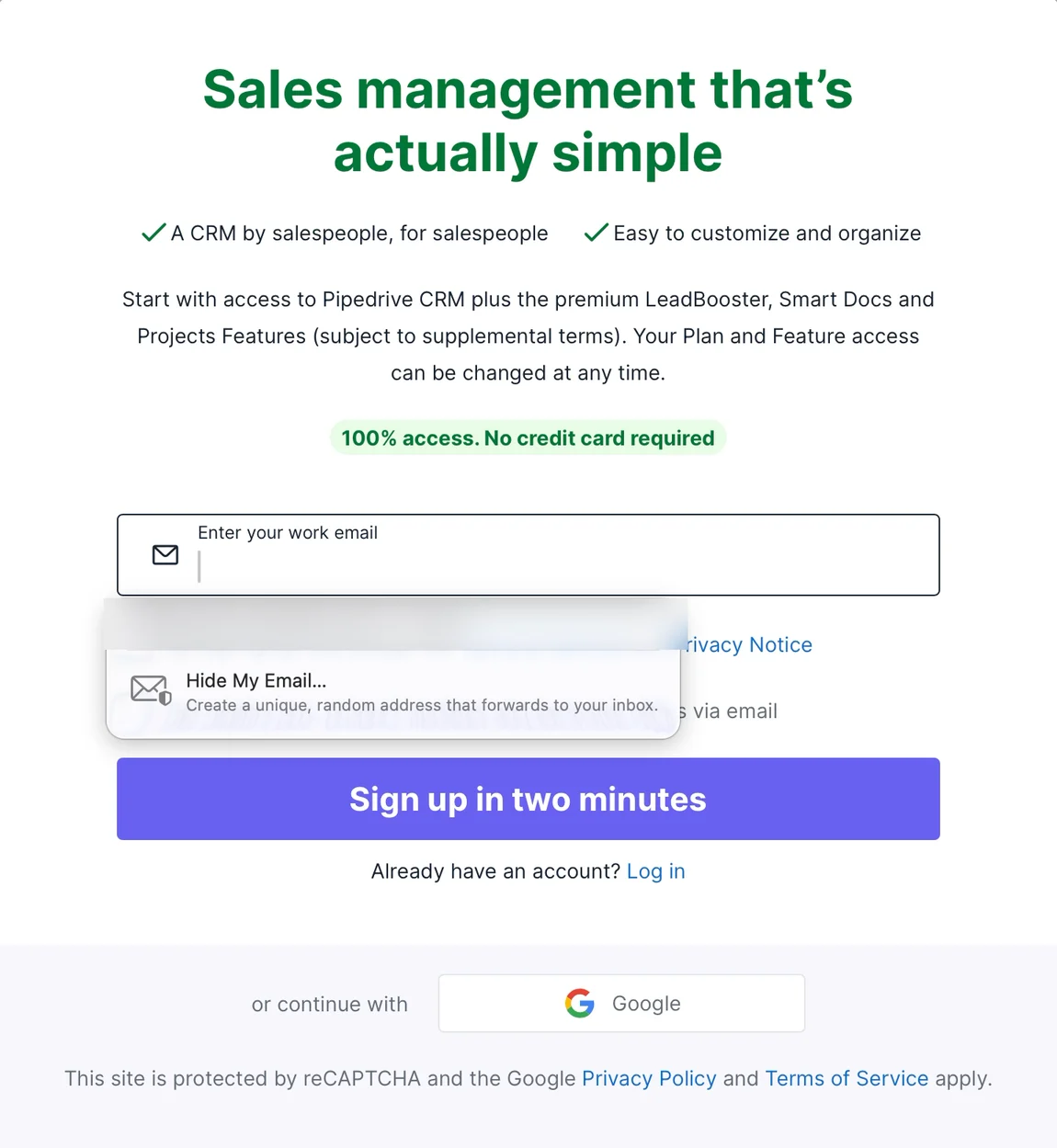
Then a 6-digit code by email. Off to Gmail and back: 23 seconds. Behind the pop-up, a blurred pipeline full of deals.
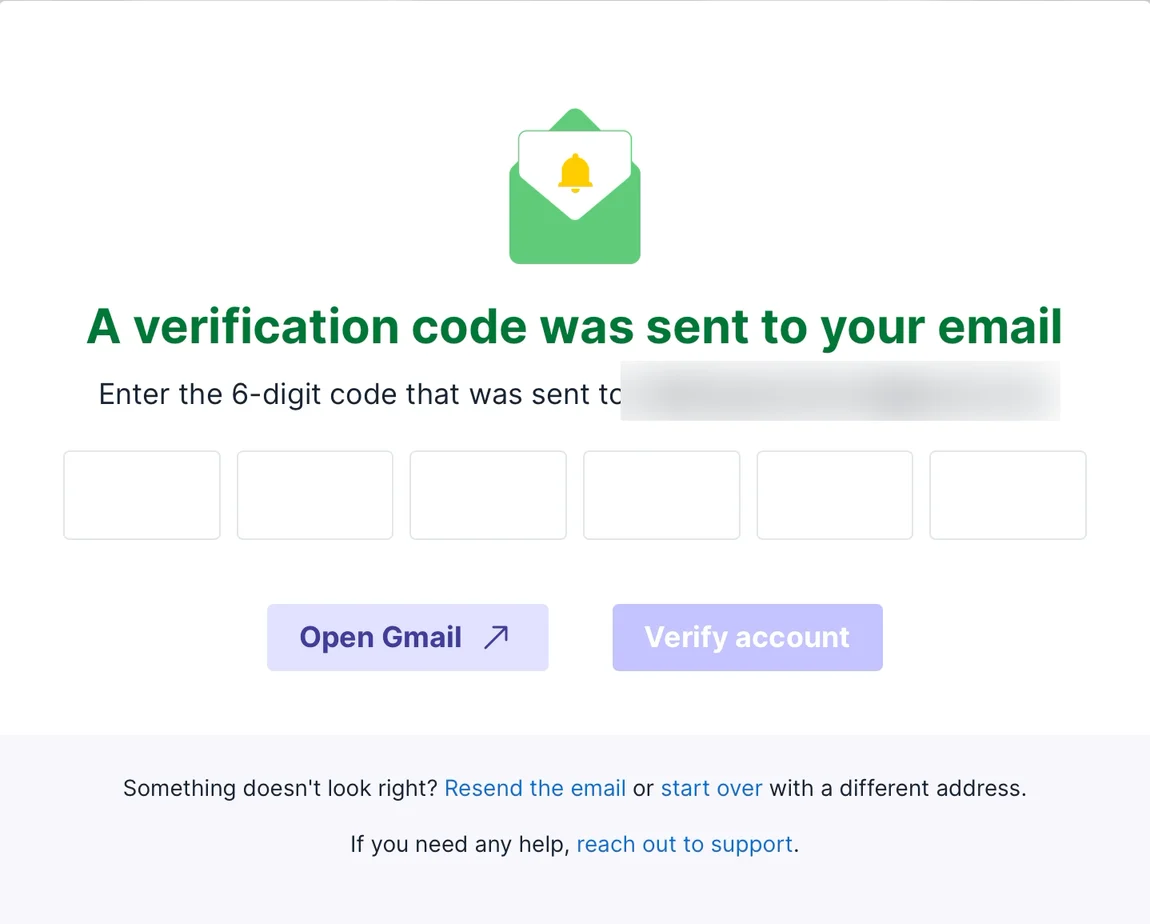
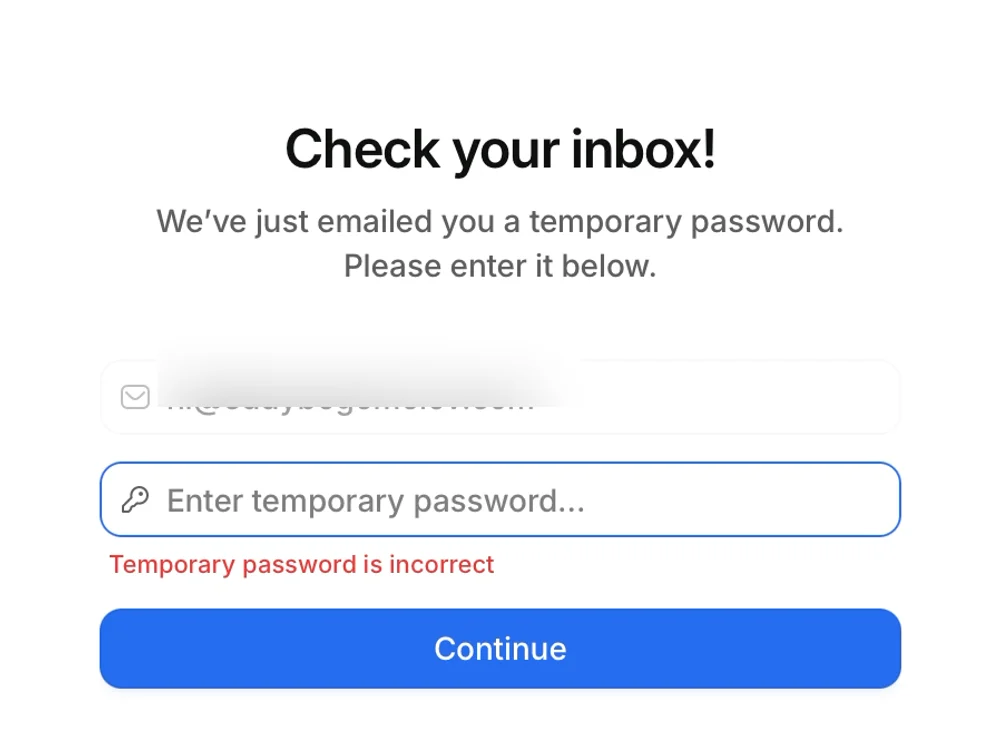
Compare Attio, my last CRM trial. Same step, but one wide field called "temporary password". I made one up and failed four times. Here, six boxes say "code" before I read a word, and I get it right first time.
3. Ten fields and a goals screen
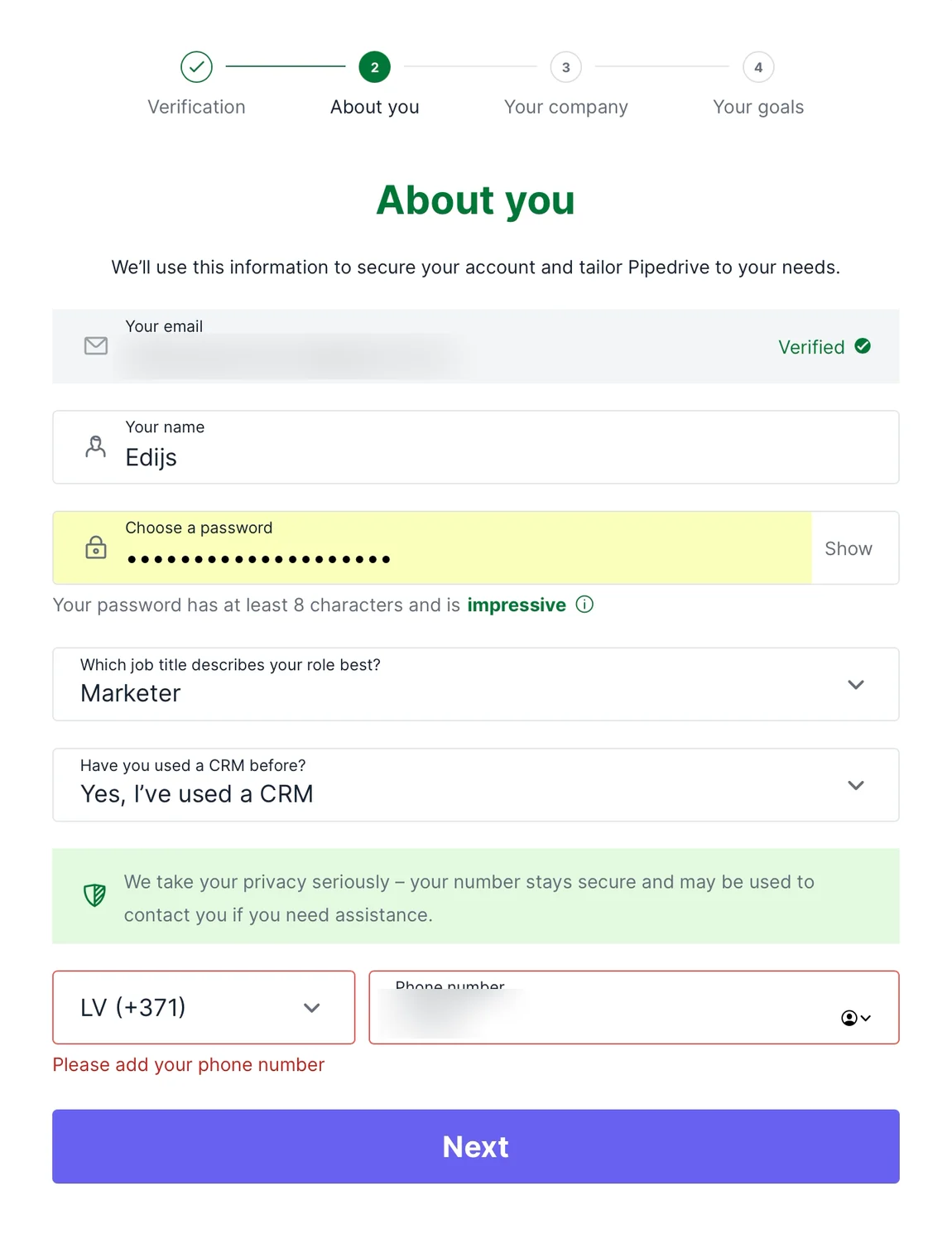
"About you." Name, password, job title, "Have you used a CRM before?", phone number. The phone number isn't optional: "Please add your phone number."

"About your company." Company name, size, industry, how many people will use Pipedrive. I skip the size and get a red error.
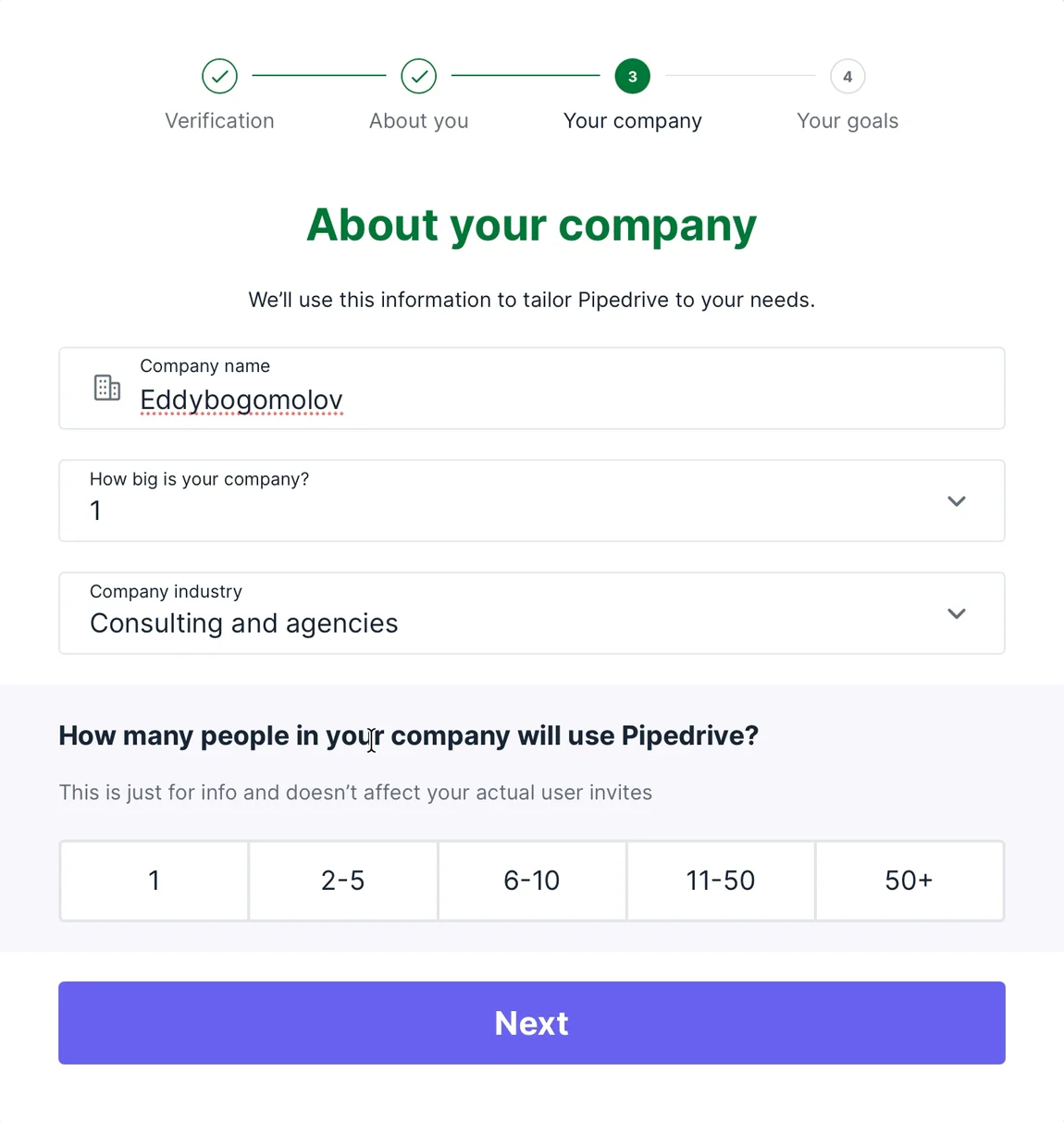
I left company size empty. Pipedrive won't let me go on until I fill it in.

Then "Your goals: What would you like to focus on during the trial?" I tick "Improve customer communication" and "Optimize and automate my sales process". Then "Creating your account…" for 11 seconds.
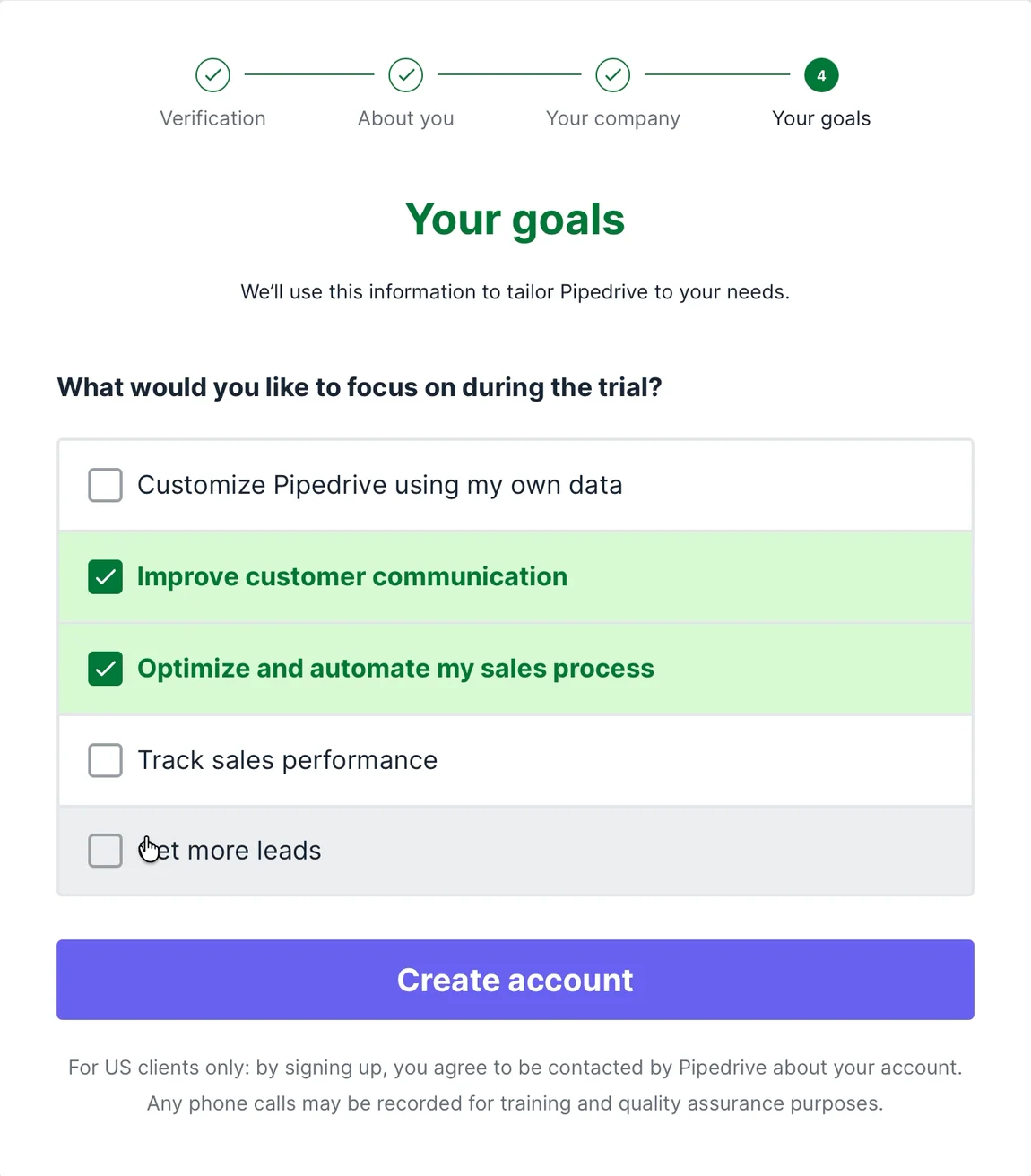
To be fair, some of these fields aren't for me. Pete Kazanjy suggests adding "some fields to your initial signup form that helps characterize the potential value of an account" (Lenny's Newsletter), so sales knows who to call. The phone number makes sense now. The goals screen is different: it asks what I want from the trial.
4. The pipeline: tailored, and empty
"Welcome to Pipedrive, Edijs!" A sales pipeline, with a blue label: "Tailored for your industry". New Deal, Contact Made, Qualified, Meeting Completed, Negotiations started, Contract Signed. Six empty columns. "No deals added yet."
Remember the blurred pipeline behind the code? This is the same screen with the deals taken out. The fastest way to see value is a small button in the middle: "Try with sample data".
5. A tour of empty screens
I click Continue. "Bring your contacts into Pipedrive": "No people added yet." Continue. Activities. Then a pop-up: "You've now covered the basics." And a rating: "How easy was the setup for you?"
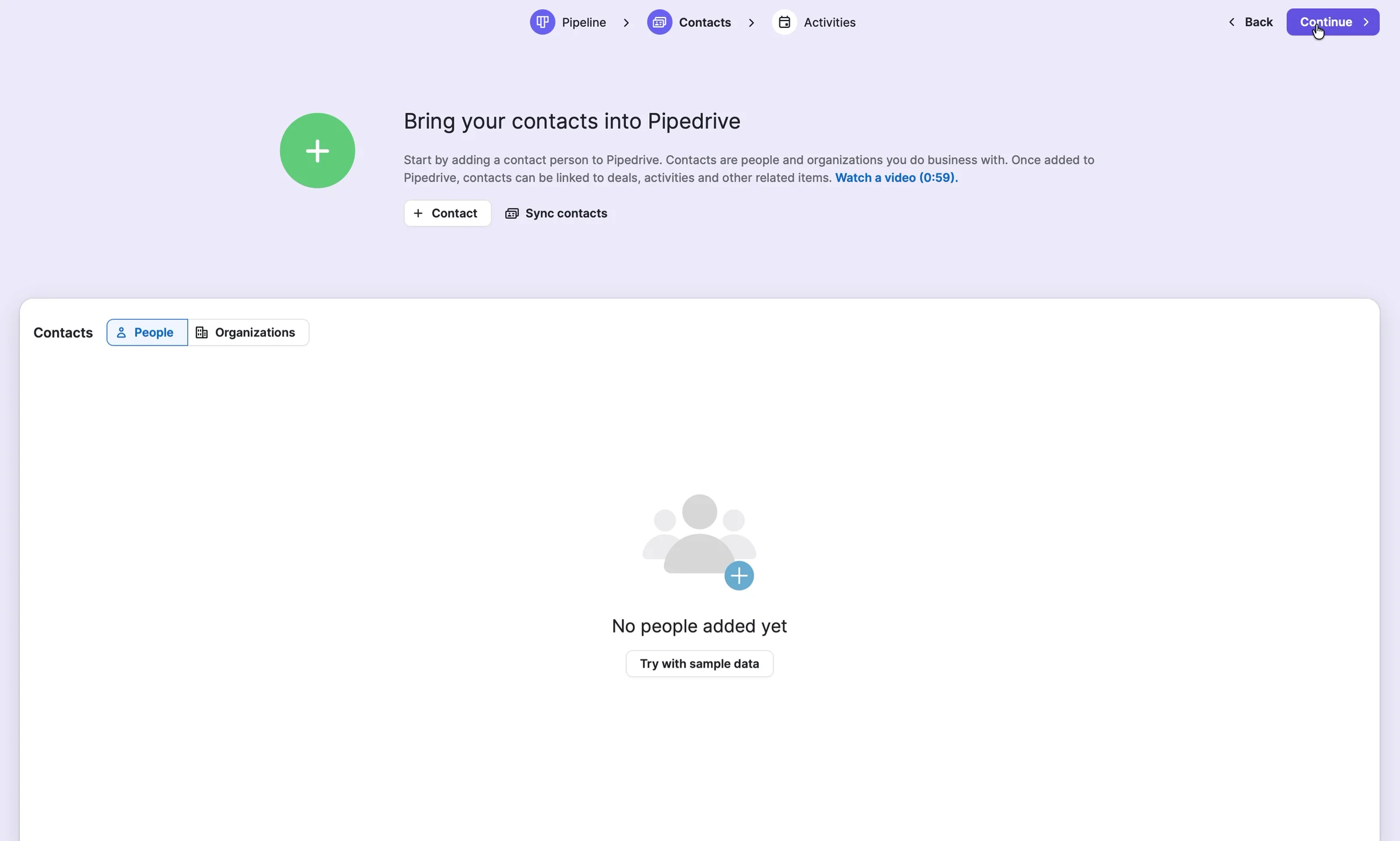
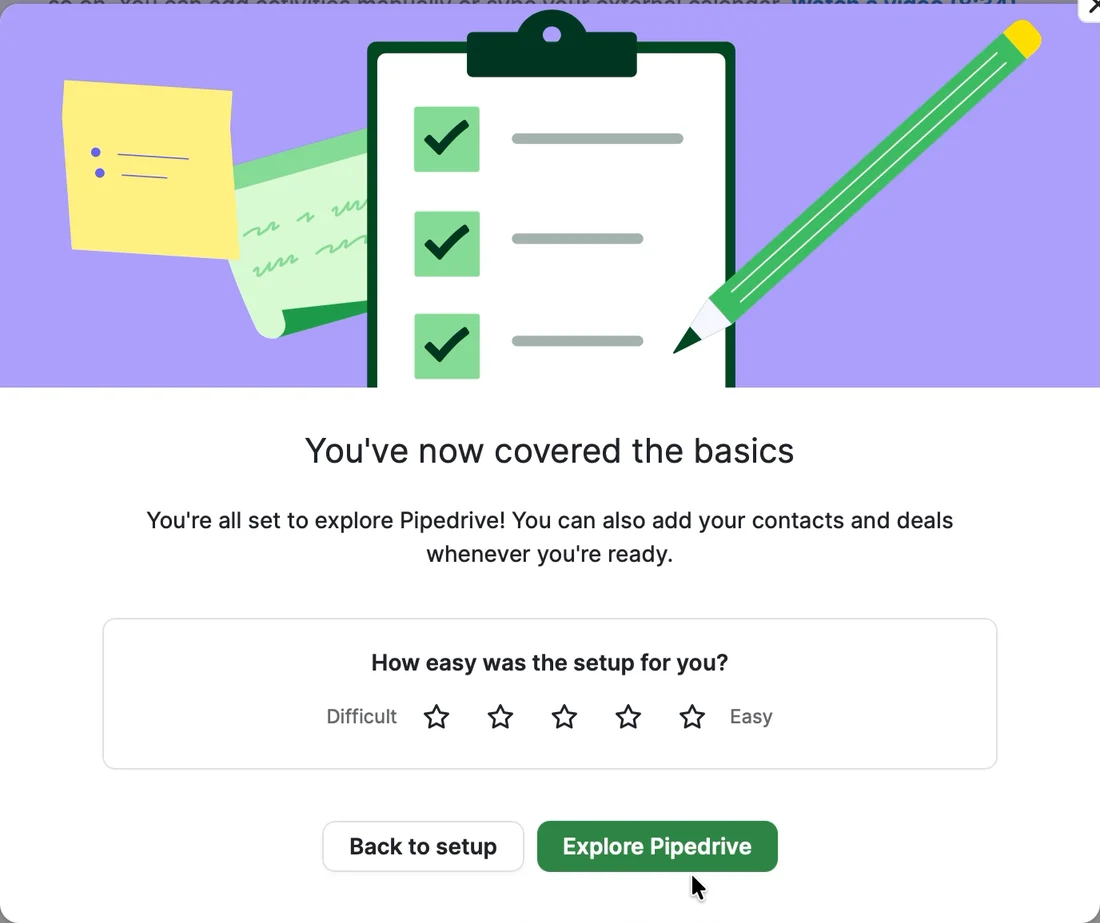
Covered what? I haven't added a single thing. I've seen three empty screens and been told I'm done.

"Hi, Edijs! Let's get you set up." A progress bar: "1/11 suggested tasks completed". Four groups in the to-do list, more under "More to explore", and an "App recommendation" pop-up in the corner, two minutes in.
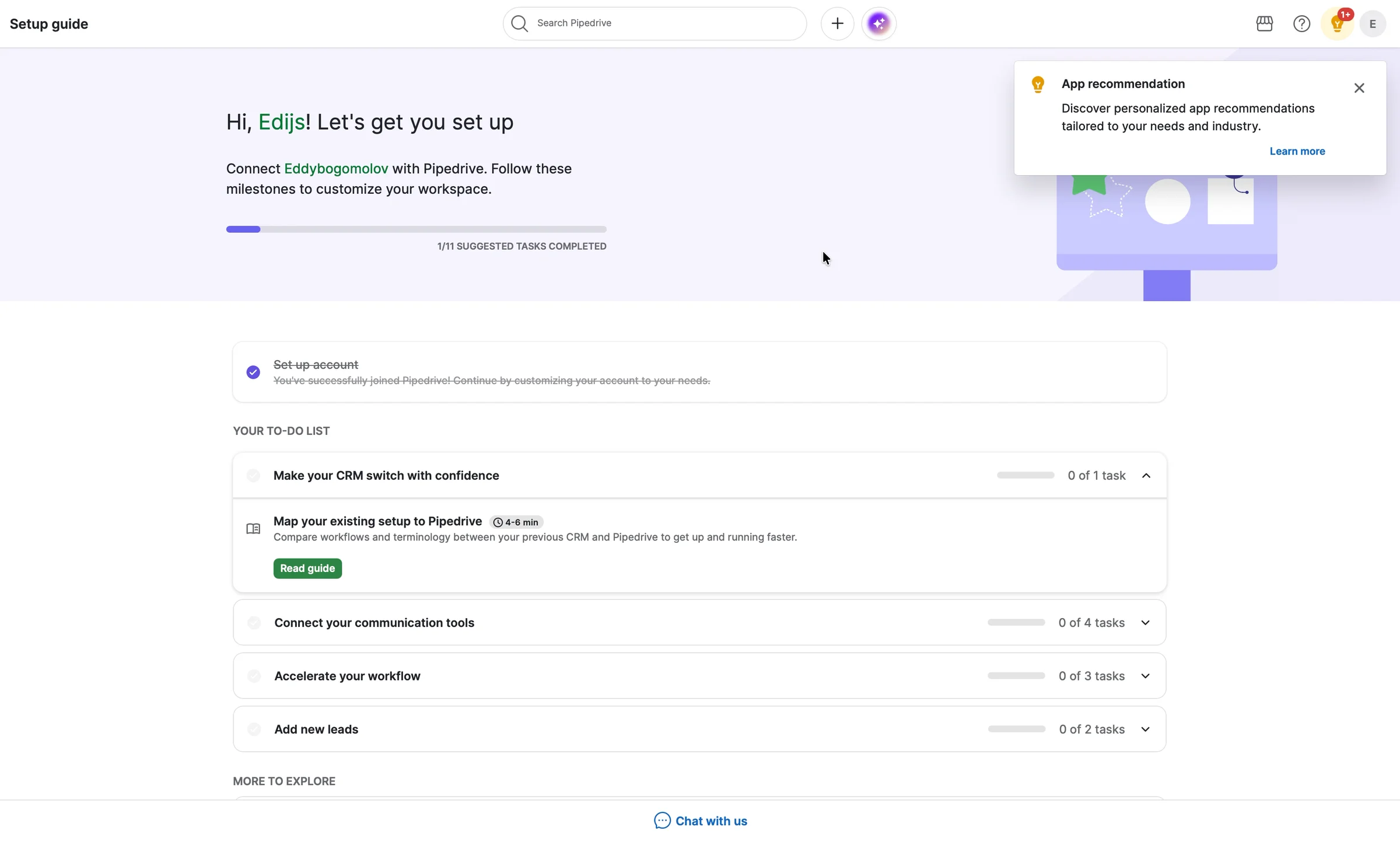
My inbox, where my deals live, is group two: "Connect your communication tools", 0 of 4 tasks, under a collapsed row.

I go looking for the price. Billing. Credit where it's due: Premium, €74 a seat, shown as €0 during the 14-day trial, no card, billed monthly. Clear.
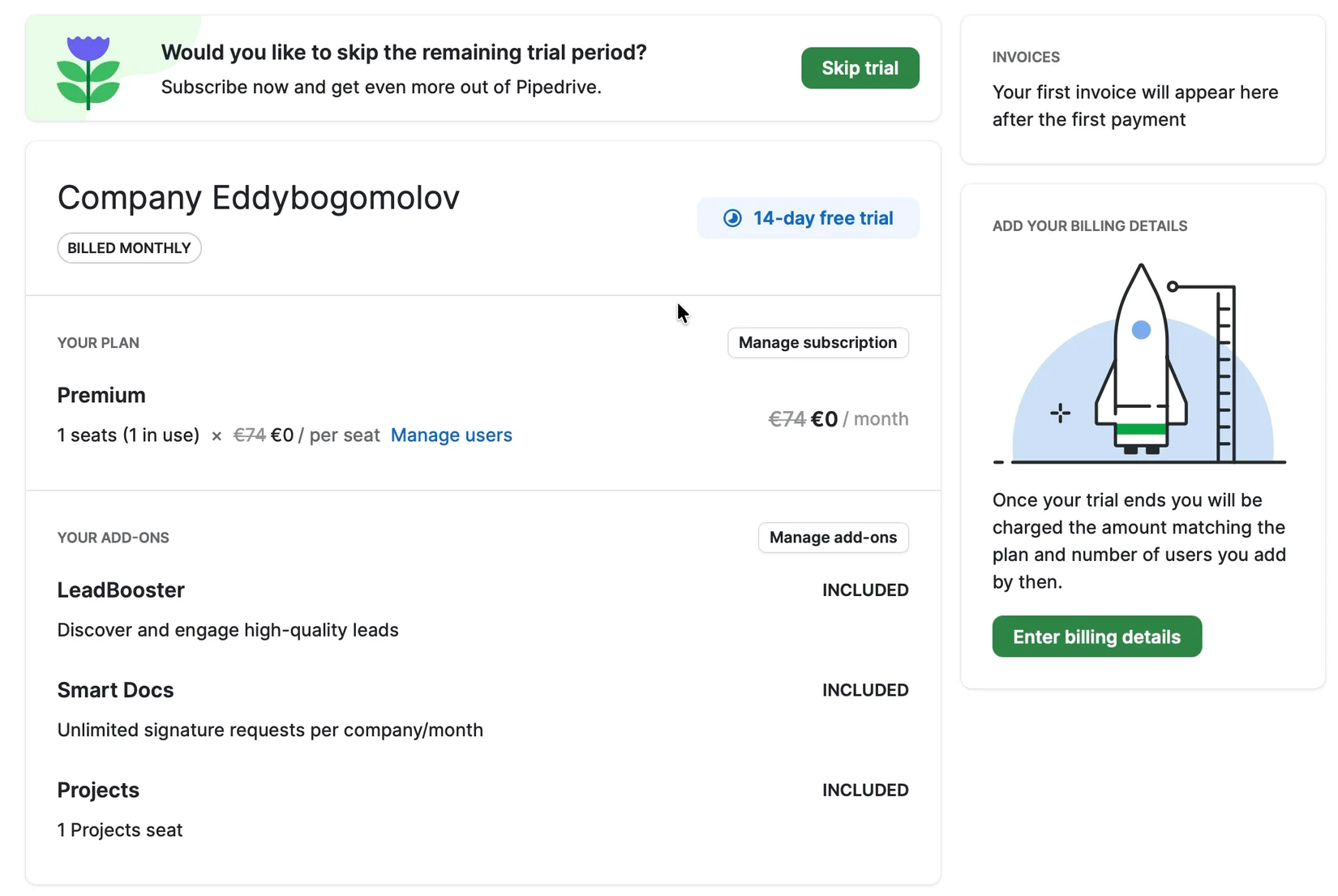
And on top of it: "Would you like to skip the remaining trial period? Subscribe now." Two and a half minutes into a 14-day trial.
7. Switch with confidence: a help article
Back to the setup guide. Its first task: "Make your CRM switch with confidence." I expect help moving my deals over from my old CRM, so I click. "See how your previous setup maps to Pipedrive." A dropdown: HubSpot, Zendesk, Salesforce, Zoho, monday.com, Freshworks.
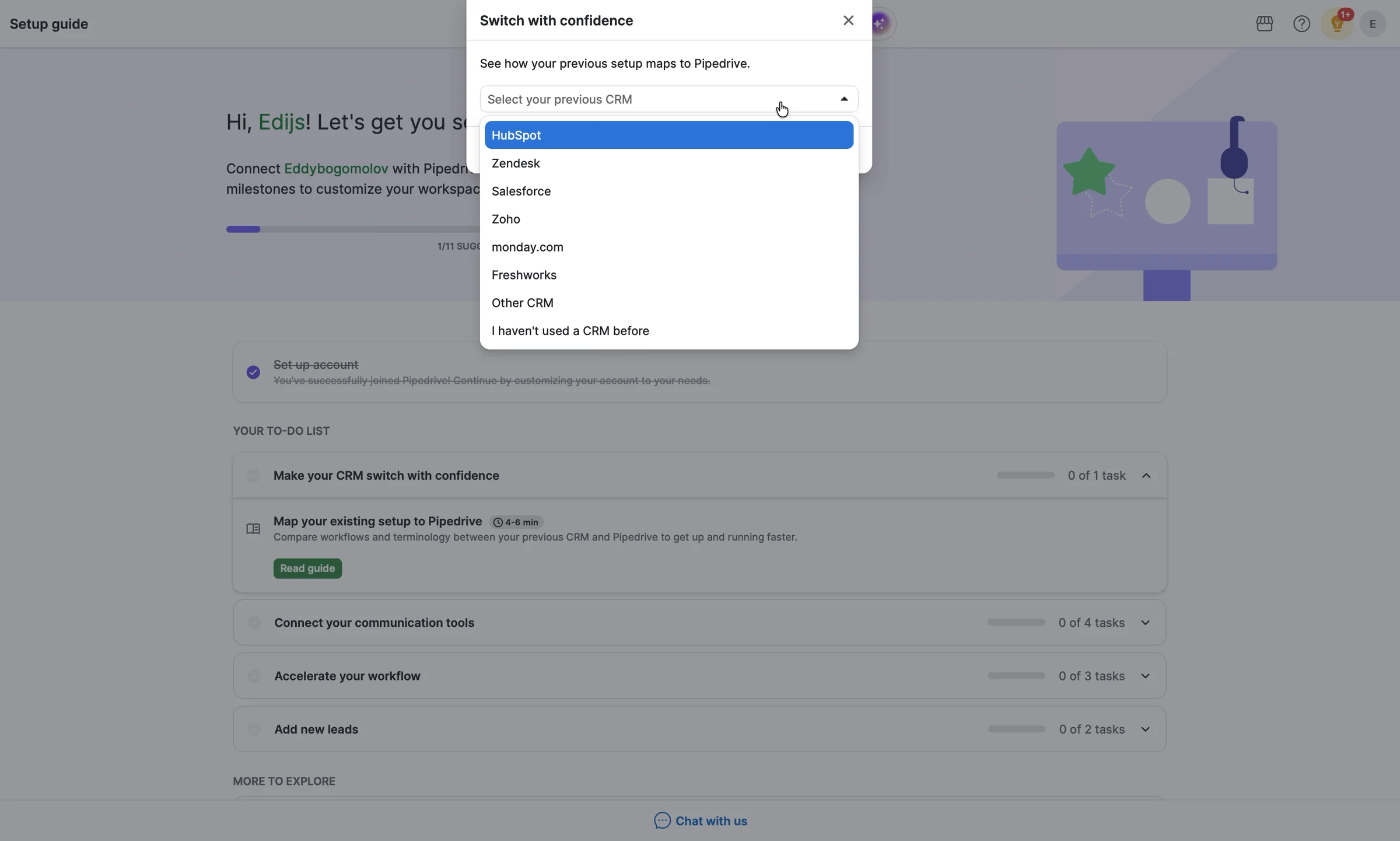
I pick one, and get a help article in a new tab: "How is Pipedrive data organized?" The setup guide ticks the task off as done. Nothing moved from my old CRM.
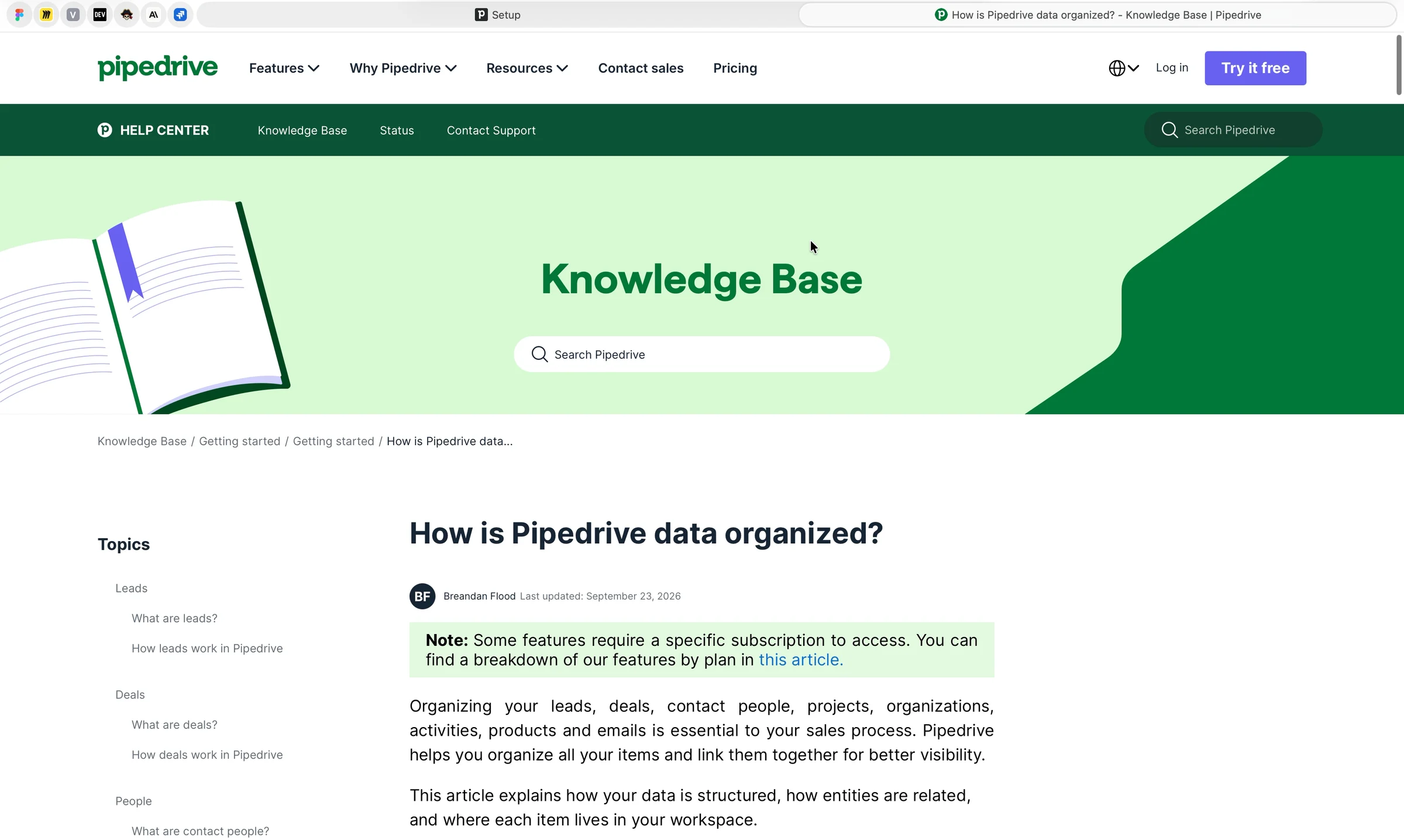
It already asked "Have you used a CRM before?" at sign-up. I said yes. Three and a half minutes in: zero deals, zero contacts.

8. How I'd redesign the first screen
Two columns: the pipeline I was promised, and my first real deal. The header carries my sign-up answers and a three-step plan, so it's visibly mine.
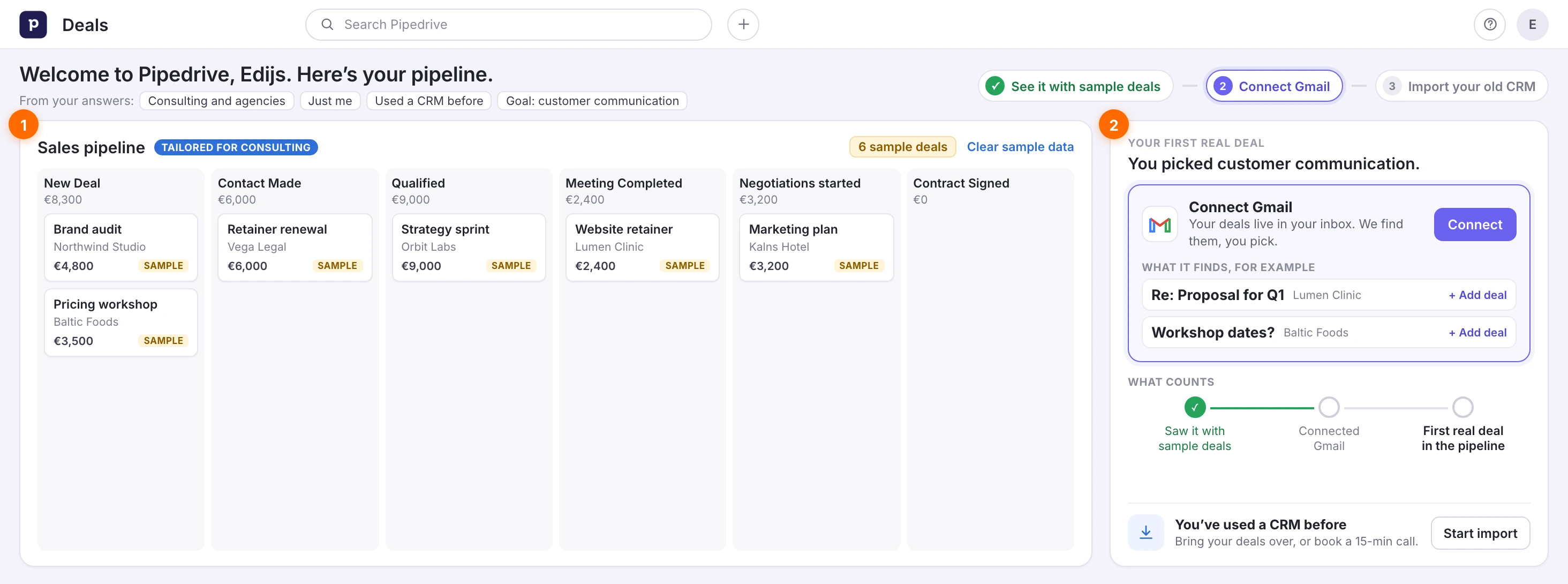
Part by part, and why:
The header: my answers, and a three-step plan. It plays my sign-up answers back to me (consulting and agencies, just me, used a CRM before, customer communication) and turns them into three steps, not eleven tasks.


Why: I gave Pipedrive ten fields of answers, including my goal. Then it showed me the same 11-task list as everyone. If you ask, use the answer.
The pipeline, with sample deals. "Tailored for consulting", with six sample deals already in it. Each one says Sample, and one link clears them all.
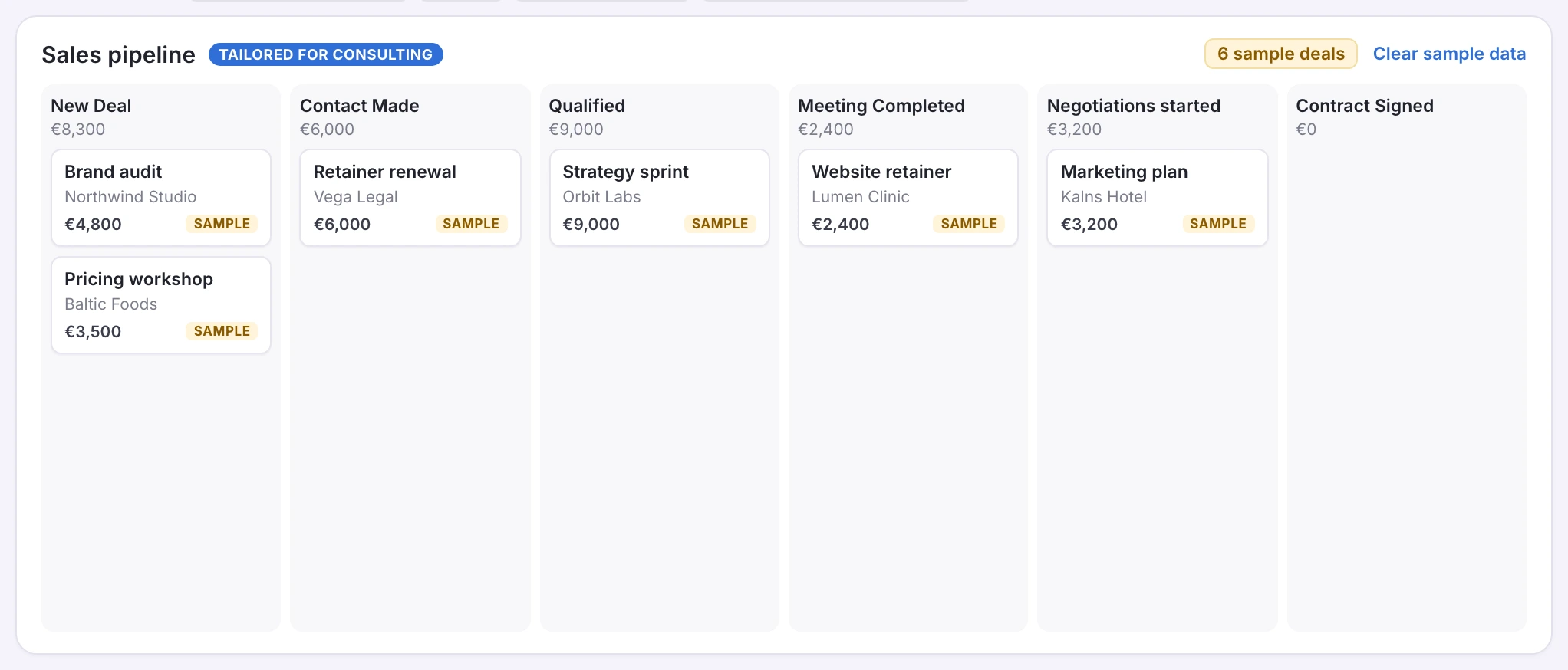
Why: a blurred pipeline full of deals got me to sign up, then the real one was empty. Turn the sample deals on by default, so I see it working before I add my own.
One task from my goal: connect Gmail. Next to the pipeline, one task, with examples of the deals it finds. Under it, what counts: not the tasks, but a first real deal in the pipeline.
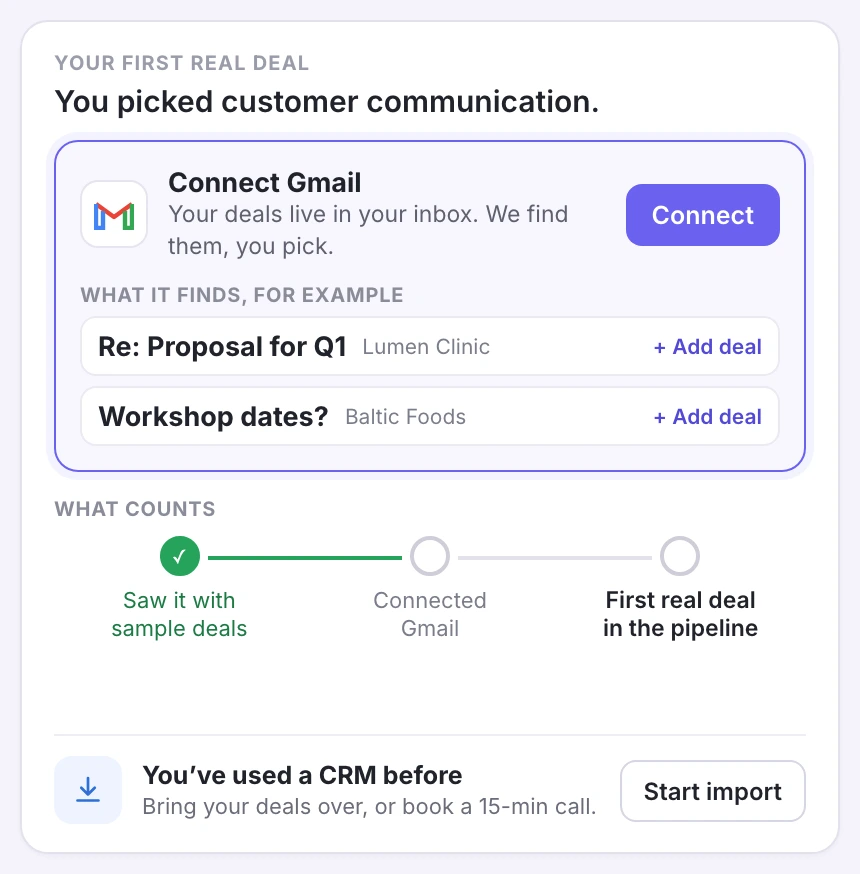
Why: I said customer communication, and my deals live in my inbox. Today that task is in group two of an 11-task list, under a collapsed row. One goal, one task.
The import, for a switcher. I've used a CRM before, so bring my deals over, or book a 15-minute call.
Why: I said yes to "Have you used a CRM before?", picked my old CRM, and got a help article. When I say I'm switching, start the import. Pipedrive already has my phone number.
Today, the same moment shows six empty columns and "Try with sample data" in the middle. Same sign-up. This time I'd see a pipeline working, and know the one thing to do next.

9. Three ways to get a first deal in
Each one puts a deal in the pipeline before the to-do list.
🧪 Start with sample deals
Make "Try with sample data" the default, with deals that fit the industry I picked, and let me clear them later. Shopify put "pre-generated things based on what we know about you" into the real editor, and saw the payoff in merchants selling (Archie Abrams, Lenny's Podcast).
📥 One task, from my goal
I said customer communication. Make connecting Gmail the first and only task, then show me the deals it finds in my inbox. Laura Schaffer used Twilio's sign-up answers to organize each person's onboarding (Lenny's Podcast). Ask once, then act on it.
🔁 Import, don't link
When I pick my old CRM, start the import, or offer a call. Jeff Weinstein: "Turn those moments during your self-serve process into not self-serve" (Lenny's Podcast).
The goal: a first deal in the pipeline within five minutes.
Fast in, then nothing to do
Product-led means no salesperson walks you through the product. The product itself has to convince you to stay and pay. To do that, a trial has to answer four questions on its own:
- Does it do what the homepage promised? Yes. Full access, no card, and a pipeline tailored to my industry.
- Can I get in quickly? Yes. In the product in 96 seconds, though the email code and the required phone number slow it down.
- Do I see value fast? No. For a CRM, value is my deals in one place, and I get six empty columns, with the value behind "Try with sample data".
- Do I know what to do next? No. 11 tasks, an app pop-up, and "skip the trial" on Billing.
Two out of four: Pipedrive lets me in fast, then leaves the pipeline empty.
Wes Bush's Bowling Alley Framework scores onboarding on three parts: a straight line from sign-up to the first win, product bumpers that keep you on it inside the app, and conversational bumpers that bring you back.
- 1 · Straight-line onboarding · A tour of three empty screens, then 11 tasks. No path to a first deal · ❌
- 2 · Product bumpers · A to-do list that ignores my goal, an app pop-up, and a switch task that opens a help article · ❌
- 3 · Conversational bumpers · In my three and a half minutes, the only email was the sign-up code · Not seen
No lane to a first deal, and bumpers that point everywhere.
Pipedrive gets the hard parts right: a fast sign-up, no card, a clear price. The leak is what comes after: a pipeline tailored to my industry with nothing in it, and a to-do list instead of a deal.
The whole journey, from my recording:
- 0:00 · "Try it free" · ✅ No card
- 0:15 · 6-digit code by email
- 0:38 · About you, company, goals · ❌ Goals never used
- 1:39 · Pipeline "Tailored for your industry" · ❌ No deals
- 2:00 · "You've now covered the basics"
- 2:06 · Setup guide: 1/11 tasks
- 2:33 · Billing: "skip the remaining trial period?"
- 3:13 · "Switch with confidence" · ❌ A help article
The fix: Put one deal in the pipeline before anything else: sample deals by default, then my own from Gmail.
The six lessons
- No card, and let any email in · ✅
- A full pipeline behind the form · ✅
- Ask for my goals, then use them · ❌
- "Tailored" should mean deals, not column names · ❌
- A tour of empty screens isn't onboarding · ❌
- When I say I'm switching, that's the product · ❌
Zoom out
A CRM has a hard job in a trial: most people who try one already have something. Pipedrive's own question, "Have you used a CRM before?", says so. Karri Saarinen, Linear's CEO, put it plainly for any tool like that: "The tool eventually replaces their other solution, which means there isn't a real activation until that happens." (Lenny's Newsletter).
By that measure, my three and a half minutes got me nowhere near activation. Not because Pipedrive was slow, it wasn't, but because nothing I own ever made it inside.
If you run a trial for a product people switch to: find the first moment they see their own data in it. Then take everything else out of the way.
What's the first thing a new user sees in your product: their data, sample data, or an empty screen? Leave a comment. I read every one.
Further reading:
- Letting Attio build my CRM for me, another CRM trial, where the product fills itself from my inbox
- Breaking the rules of growth, Archie Abrams of Shopify on Lenny's Podcast
- Counterintuitive onboarding tips, Laura Schaffer on Lenny's Podcast
- The Bowling Alley Framework, Wes Bush at ProductLed
I break down real free trials and show where they lose paying users. If this helped, send it to someone who owns a trial.
Want a teardown of your trial? DM me "teardown" on LinkedIn.
Eddy
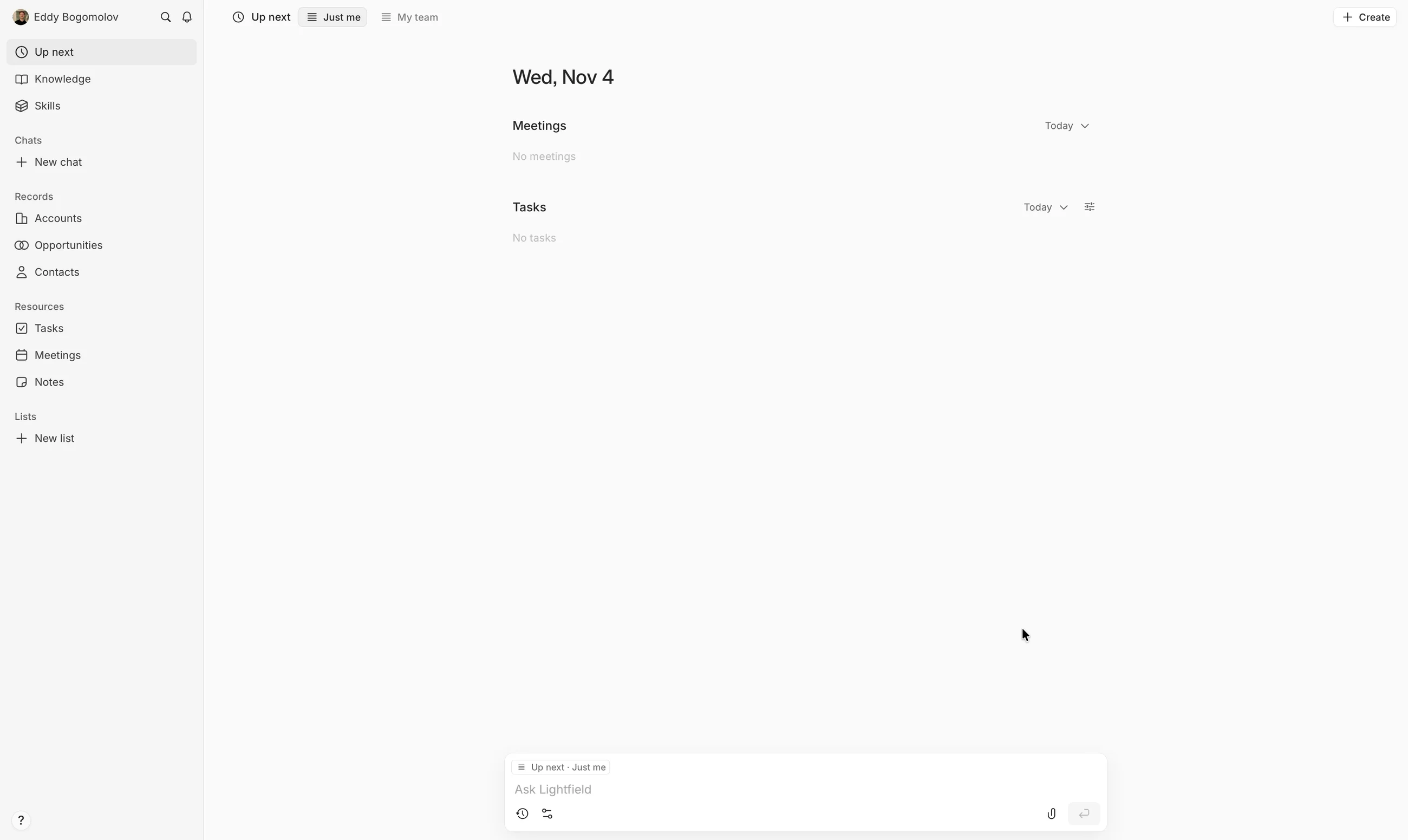
Lightfield Nailed the Checkout (But Asked for My Inbox Last)
Lightfield, Nov 6, 2026